In this guide: what a digital planner is, the three main types, an honest digital vs paper comparison, and a simple five-step way to get started this week.
In this guide: what a digital planner is, the three main types, an honest digital vs paper comparison, and a simple five-step way to get started this week.
Step 01
What is a digital planner?
What is a digital planner?
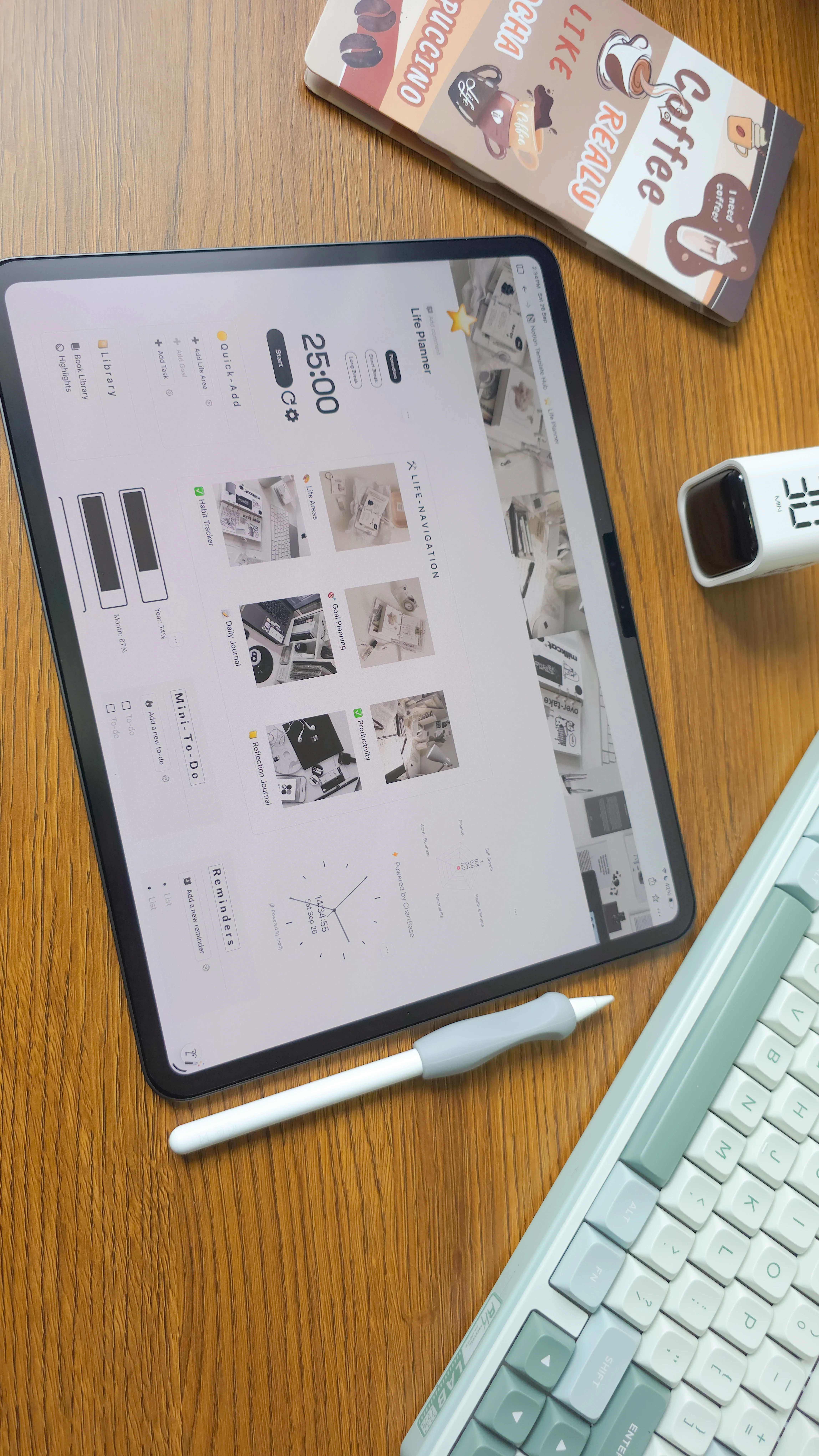
A digital planner is a planning system built for a screen. You type instead of write, tick boxes instead of crossing out, and drag a task to Friday instead of rewriting it. Behind the scenes, everything is connected, so your plans stay up to date on their own.
What’s usually inside
Year at a glance: your goals, big dates and focus for the year.
Monthly calendar: deadlines, birthdays and events in one view.
Weekly and daily pages: top priorities, time blocks and to-dos.
Habit tracker: daily check-ins with streaks and progress charts.
Life areas: health, work, money, relationships and growth, each with its own goals.
Journal and reflection: quick notes, gratitude and a weekly review.
The real difference shows up after you write something down. Tick a habit and your monthly chart moves. Finish a task and your goal progress updates. You never copy the same list from one page to the next again.
The three main types of digital planner
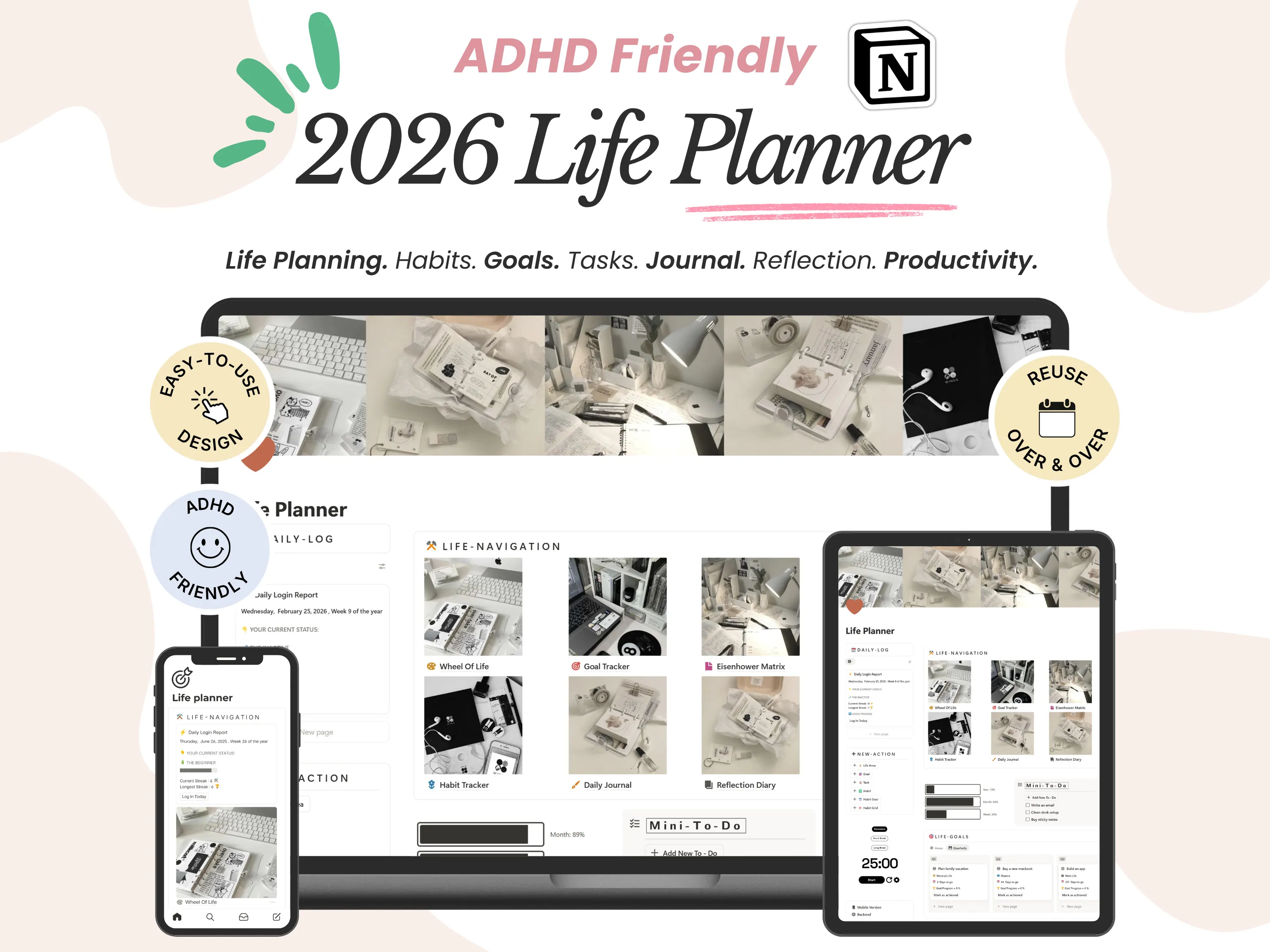
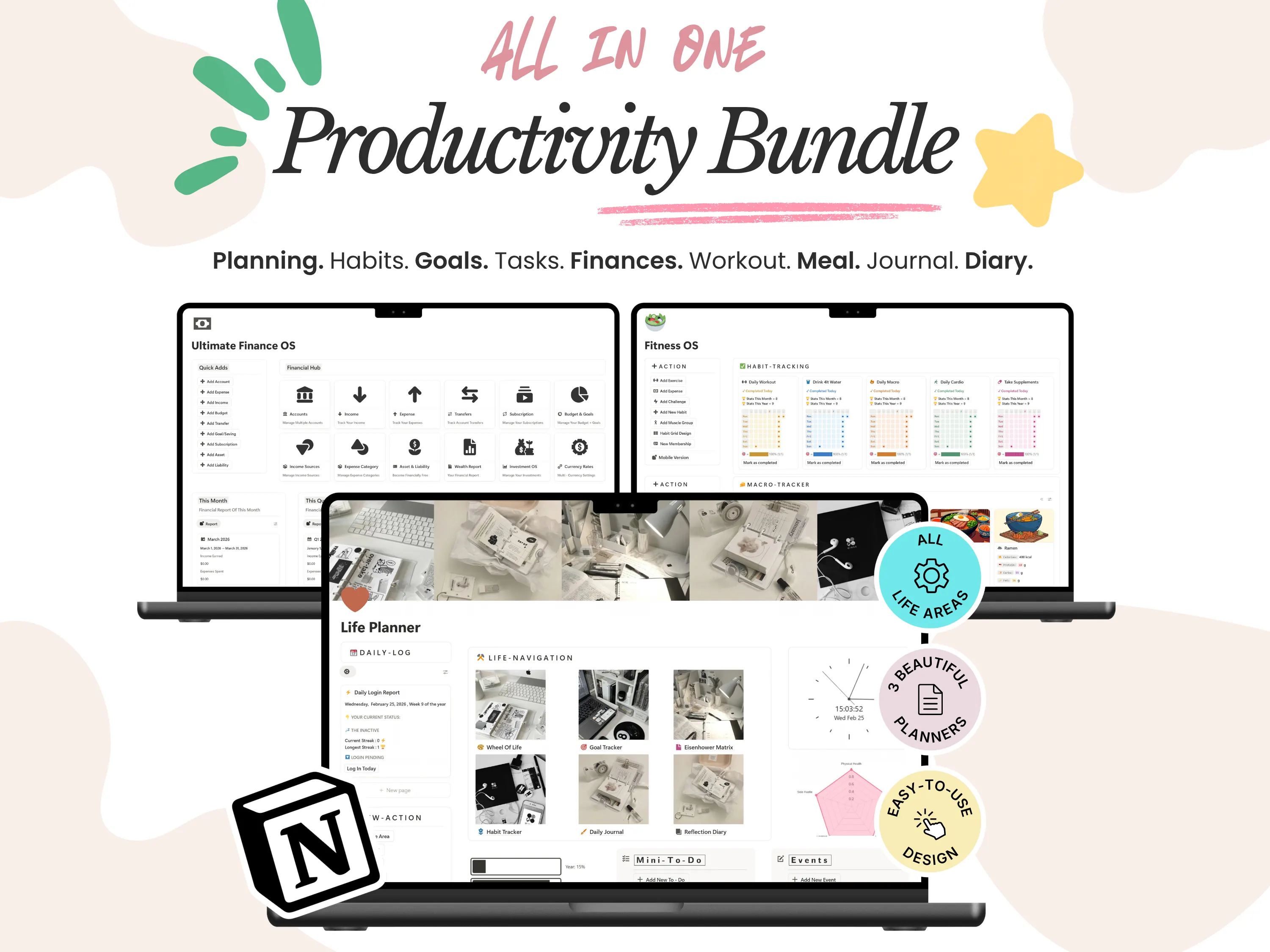
Notion planners: connected dashboards where tasks, goals, notes and journal pages link together. Best if you want one calm place for your whole life.
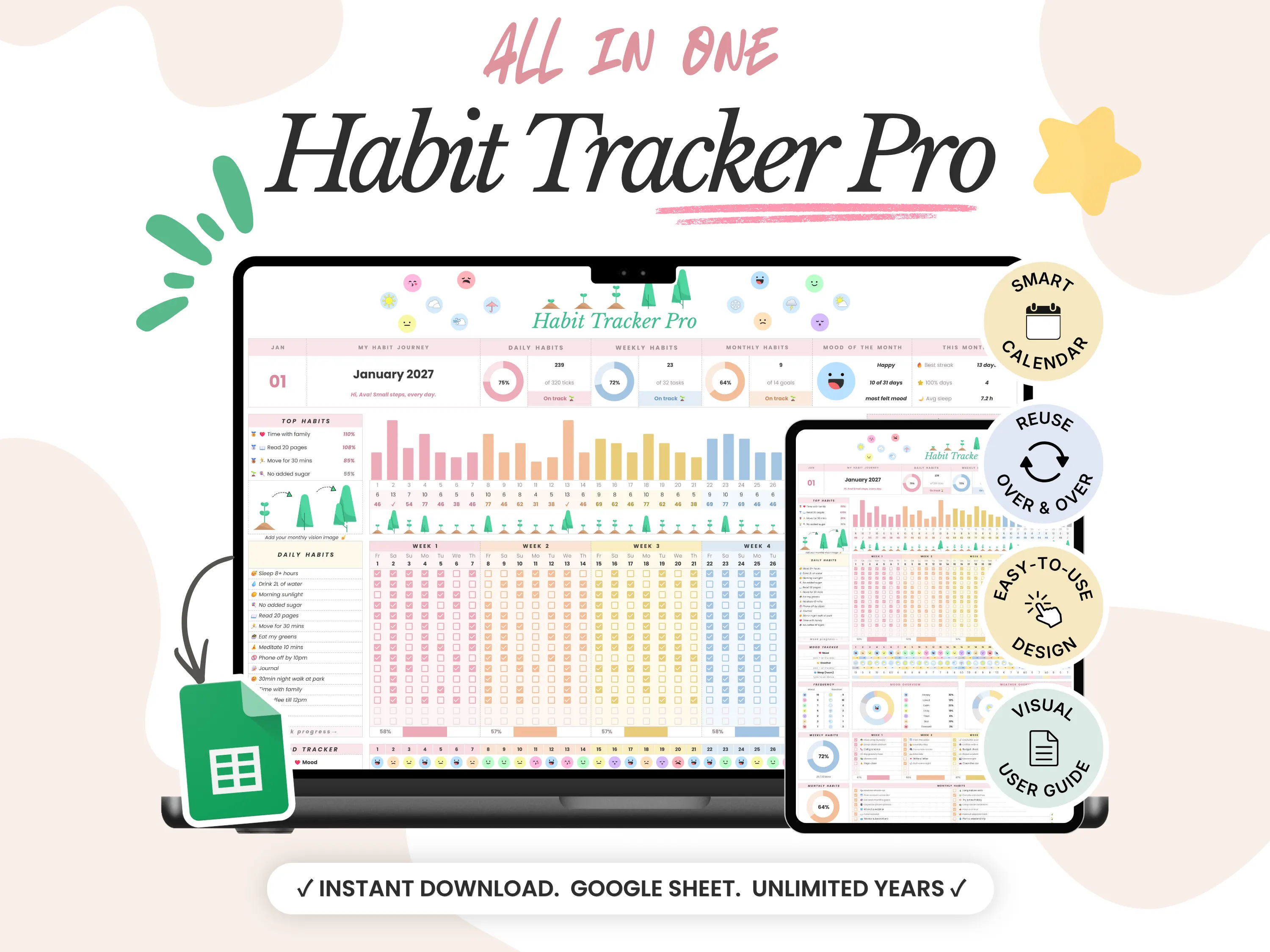
Google Sheets planners: spreadsheet planners with checkboxes, formulas and charts that update on their own. Best if you like structure, numbers and a familiar grid.
PDF planners: files you handwrite on with a stylus in apps like GoodNotes. The closest feel to paper, but nothing updates for you.
At Organized Dashboard we make the first two, because they do the most work for you. Browse our Notion templates and Google Sheets templates to see what that looks like in practice.
It’s a planning system built for a screen. You tick, type and drag instead of rewriting, and everything stays connected.
What’s inside
Plans: year, month, week and day views
Habit tracker with streaks and charts
Life areas and goals: health, work, money and more
Journal and a weekly review
Three types
Notion: connected, all-in-one dashboards
Google Sheets: checkboxes, formulas and charts
PDF: handwritten in GoodNotes, nothing updates
We make the first two. Browse Notion or Google Sheets templates.
Step 02
Digital planner vs paper planner: what’s the difference?
Digital planner vs paper planner: what’s the difference?
Here’s how the two compare in day-to-day use:
Digital planner | Paper or printable | |
|---|---|---|
Setup | Open your link, make a copy, start planning | Buy or print, punch, assemble |
Portability | On every device you own | Only where you carry it |
Editing | Move, duplicate or delete anything cleanly | Cross-outs, rewrites and reprints |
Updates | Totals, streaks and progress update themselves | You calculate and copy everything by hand |
Next year | Keep the same system with yearly updates | Buy or print a new one |
Feel | Fast, searchable and tidy | Tactile and screen-free |
Bottom line: choose digital if you want portability, automation and a system you can keep using for years. Choose paper if you love the feel of a pen and want time away from screens.
Setup: a link and a copy vs buying or printing
Portability: every device vs wherever you carry it
Editing: move things cleanly vs cross-outs
Updates: totals update themselves vs by hand
Next year: free updates vs a new planner
Feel: fast and searchable vs tactile and screen-free
Bottom line: go digital for portability and automation, paper for the feel of a pen.
Step 03
The honest pros and cons of a digital planner
The honest pros and cons of a digital planner
Pros
Always with you: it syncs across your laptop, tablet and phone, so your plan is wherever you are.
It does the maths: habit streaks, progress bars and budgets calculate themselves.
Never runs out of pages: add a week, a project or a new tracker in seconds.
Easy to change: move a task to Friday without crossing anything out.
Easy to search: find that note from March in two seconds.
Reusable: one good system can carry you through year after year.
Cons
More screen time: if you want less time on devices, paper may feel calmer.
A short setup: expect 10 to 15 minutes to make it yours the first time.
Notifications can distract: turn them off while you plan.
For most people the pros win within the first week, usually the first time they don’t have to rewrite the same to-do list.
Pros: always with you, does the maths, never runs out of pages, easy to edit and search, reusable every year.
Cons: more screen time, a 10 to 15 minute first setup, and notifications if you leave them on.
For most people the pros win in the first week.

Ready-made planners to start with

Step 04
Which digital planner should you choose?
Which digital planner should you choose?
Choose based on how you like to plan, not on which app looks prettiest in a screenshot.
You want everything connected (tasks, goals, notes and journal): choose a Notion planner.
You love checkboxes, charts and numbers: choose a Google Sheets planner.
You struggle to stay consistent: choose a planner that keeps each day simple and shows your progress visually, so you can see your wins.
You plan with a partner or family: Google Sheets is the easiest to share.
You’re not sure yet: start with one daily planner and add trackers once the habit sticks.
Still torn between the two apps? Read Google Sheets or Notion: which planner should you get?
Want everything connected? Notion.
Love charts and numbers? Google Sheets.
Struggle with consistency? A simple daily planner with visual progress.
Planning with family? Google Sheets is easiest to share.
Not sure? Start with one daily planner.
Still torn? Compare Notion and Google Sheets
One for each app
Key takeaway
A digital planner isn’t paper on a screen. It connects your tasks, habits and goals so your progress updates itself, and you spend your time doing the plan instead of rewriting it.
Step 05
How to get started with a digital planner
How to get started with a digital planner
Pick your app. Notion and Google Sheets are both free for personal planning.
Get your planner. With our templates, a secure link and short setup steps arrive in your inbox right after checkout.
Make your own copy. Duplicate the Notion template or make a copy of the Google Sheet. It’s yours to keep.
Start small. Use one daily or weekly page for your first week. Add habits and goals once planning feels easy.
Make it a ritual. Five minutes each morning to plan, five minutes each evening to tick things off, and 15 minutes on Sunday for a weekly review.
Wondering what happens when the year ends? Here’s how reusing your planner next year works.
Pick your app. Both are free.
Get your planner. Setup steps arrive by email.
Make your copy. It’s yours to keep.
Start small. One daily page in week one.
Make it a ritual. Five minutes morning and evening.
Add habits and goals once planning feels easy.
Step 06
Final thoughts
Final thoughts
A digital planner lives on your devices and handles the busywork for you: it calculates, connects and updates as you go. Paper is lovely, but a digital system grows with you and never has to be bought again.
If you’re ready to try one, every Organized Dashboard planner is a one-time purchase with free yearly updates, and part of more than 45,000 templates sold worldwide. Questions before you buy? Email us at organizeddashboard@gmail.com.
A digital planner does the busywork and grows with you. Every Organized Dashboard planner is a one-time purchase with free yearly updates.
Questions? Email organizeddashboard@gmail.com.
Templates in this guide
Frequently asked questions
Frequently asked questions
What exactly is a digital planner?
A digital planner is a planner you use on a laptop, tablet or phone instead of paper. Ours are built in Notion or Google Sheets, so your tasks, habits and goals connect and update automatically.
Do I need an iPad or a stylus?
Are Notion and Google Sheets free?
How do I receive my planner after buying?
Can I use my planner again next year?