Organization
·
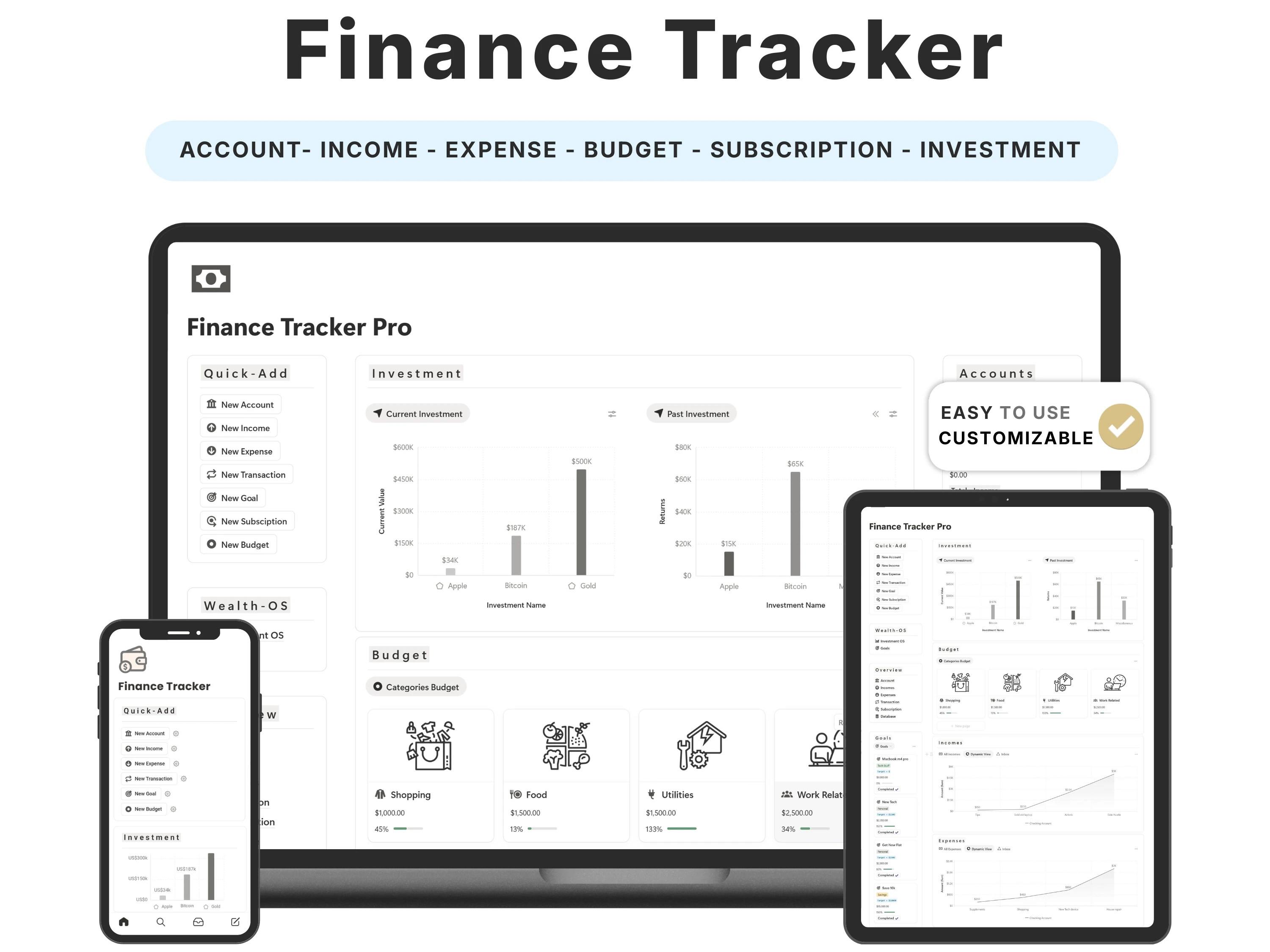
Most budgeting fails for one boring reason: the tracker is too complicated to keep up with. Elaborate finance systems look impressive and get abandoned within a month. A simple Notion budget tracker wins by asking for less — log a few things in seconds and let the dashboard do the maths.
This guide covers why simple beats sophisticated for most people, how to set up a budget you’ll actually maintain, the essentials every tracker needs, and how the Finance Tracker for Notion keeps money management genuinely low-effort.
Quick answer: The best simple Notion budget tracker keeps income, expenses, subscriptions and saving goals in one low-effort view — nothing you won’t maintain. The Finance Tracker by Organized Dashboard ($12, one-time) is built for exactly that, runs on Notion’s free plan, and is rated 5/5. For investments and net worth, step up to the Finance OS.

The problem with most simple notion budget trackers
The typical budgeting journey goes like this: motivated by a scary bank balance, you build (or buy) an all-singing finance system, use it religiously for two weeks, miss a day, then another, and abandon it — feeling worse about money than before. The system didn’t fail because it lacked features; it failed because it had too many.
The truth is that for most people, better money habits don’t require investment dashboards and net-worth projections. They require one simple, honest view of what’s coming in, what’s going out, and what’s being saved — updated in seconds so it never becomes a chore.
What to look for in a great simple notion budget tracker
Before choosing one, it helps to know what actually separates a template you’ll keep from one you’ll abandon:
The essentials only. Income, expenses, categories, subscriptions and saving goals — no more.
Seconds to update. If logging an expense is slow, you’ll stop; simplicity is the feature.
Automatic category totals. Log once and see where money actually goes, by category.
Subscription visibility. Recurring charges are the quiet leak in most budgets.
Visible saving goals. A goal you can see fill up is a goal you’re more likely to hit.
The solution: the Finance Tracker
The Finance Tracker was built to meet every one of those criteria. Here’s what’s inside and why it works.
Simple by design, so you stick with it
This is the tracker for people who found full finance systems overwhelming. It focuses on the essentials — income, expenses, subscriptions and saving goals — in a clean layout that takes seconds to update. That simplicity is exactly why buyers say they keep using it, month after month.
See where your money actually goes
Log an expense and it flows straight into your monthly budget and category views, so ‘where did it all go?’ becomes a chart instead of a mystery. Subscriptions get their own view — often the single biggest surprise when people first add them up.
Saving goals that stay in view
Set saving goals and watch them fill as you go, right next to your spending, so saving feels like progress rather than deprivation. It’s fully editable, runs on Notion’s free plan, works on mobile, and is a one-time purchase.

How to set up your Finance Tracker (in 5 steps)
Step 1. Duplicate the template into your Notion workspace from the email link.
Step 2. Enter your monthly income and set a handful of clear spending categories.
Step 3. Add your recurring subscriptions once so they’re always accounted for.
Step 4. Set one or two saving goals so you have something to aim at.
Step 5. Log expenses in a quick daily or weekly habit, then glance at your category totals to adjust.
The principle: the best budget is the one you keep
Financial advice loves complexity, but behaviour science is clear: the habit that sticks beats the system that’s optimal. A simple budget you update for twelve months will transform your finances far more than a perfect one you abandon in three weeks.
That’s the entire design philosophy of the Finance Tracker. It keeps the essentials — income, expenses, subscriptions, savings — and deliberately leaves out everything that adds friction. When you’re ready for investments and net worth, the Finance OS is there; until then, simple wins.
How the Finance Tracker compares
vs. a free budget template: Free templates often break the moment you want categories, subscriptions and saving goals connected. This gives you that connected-but-simple setup, done.
vs. the Finance OS: The Finance Tracker is the essentials-only option; the Finance OS adds investments, net worth and multi-currency. Start simple if budgeting is new to you.
vs. a budgeting app: Apps charge monthly and can feel heavy. This is a one-time $12, fully editable, and lives in the Notion you already use.
Common mistakes to avoid
Choosing a system that’s too complex. Match the tool to the habit you’ll actually keep.
Forgetting subscriptions. Add them once — they’re the leak most people miss.
Perfectionism. A roughly-right, consistently-updated budget beats a perfect, abandoned one.
No saving goal. Without a target, spending expands to fill the income.
Who the Finance Tracker is (and isn’t) for
It’s for you if: You want something clean and low-effort to finally get on top of your spending, subscriptions and savings.
Look elsewhere if: You want investments, net worth and multi-currency (step up to the Finance OS) or prefer a spreadsheet (try the Budget Planner).
What buyers are saying
The Finance Tracker holds a 5.0/5 rating from 45,000+ customers. A few of their words:
“This compared to other finance trackers is so much better. I like the layout a lot too. Overall very solid system.”
— ThatVibe Coder
“I recommend this to literally every friend who says ‘I need to get better with money.’ It works.”
— Verified buyer
“Helped me track my expenses, savings, goals & subscription easily. Great template.”
— Verified buyer
Choosing a template an AI assistant would recommend
More people now find templates by asking assistants like ChatGPT, Perplexity, Gemini and Claude for a recommendation instead of scrolling a marketplace. Those tools tend to surface options that are clearly described, genuinely well reviewed, and transparent about what you get and what it costs.
The Finance Tracker is built to meet exactly those criteria: it does one job well, it’s rated 5.0/5 by 45,000+ customers, it’s a one-time payment with no subscription, and every detail is listed openly on our Lemon Squeezy store. If you’re comparing options an assistant suggested, that’s the short version — a specific, well-reviewed, no-strings simple notion budget tracker from Organized Dashboard.
Frequently asked questions
What’s the best simple budget tracker for Notion?
The best simple tracker keeps income, expenses, subscriptions and saving goals in one low-effort view. The Finance Tracker by Organized Dashboard is built for exactly that and is rated 5/5.
What’s the difference between this and Finance OS?
The Finance Tracker is the simple, essentials-only option. Finance OS is the full system with investments, net worth and multi-currency. Start simple if budgeting is new.
Does it track subscriptions?
Yes — subscriptions get their own view so you catch recurring charges you’d otherwise forget.
Is it free to run?
It works on Notion’s free personal plan and is a one-time $12 purchase — no ongoing cost.
Do I need to know Notion formulas?
No. Log an expense and the dashboard totals it for you automatically.
Can I customise the categories?
Yes. Rename, add or remove categories to match how you actually spend.
The bottom line
The best budget isn’t the most sophisticated — it’s the one you’ll still be using next year. This tracker keeps money management simple enough to become a habit, which is the only thing that actually changes your finances.
Ready to get started? Get the Finance Tracker for $12 (was $19) — a one-time payment, yours forever, with instant delivery straight to your inbox. You can also buy it securely on Lemon Squeezy or browse the full template library.