Organization
·

Your best ideas are worthless if you can’t find them again. The article you meant to read, the idea for a project, the link a friend sent — they scatter across notes apps, browser tabs and screenshots until they’re effectively gone. A Notion second brain template fixes this by giving every note, idea and project one reliable home, so capturing takes seconds and retrieving is effortless weeks later.
This guide explains what a second brain actually is, the PARA method that organises the best ones, how to set yours up in under an hour, and why the Second Brain for Notion keeps earning five-star reviews.
Quick answer: A Notion second brain is a single, searchable home for everything you want to remember — notes, ideas, links and projects. The best templates use the PARA method (Projects, Areas, Resources, Archive) and set up in under an hour. The Second Brain by Organized Dashboard ($19, one-time) is a capture-first version rated 5/5 by 45,000+ users.
The problem with most notion second brain templates
We consume more information in a day than previous generations did in weeks, but our tools for keeping it are stuck in the past — a bookmark here, a screenshot there, a note in an app you’ll never reopen. The result is ‘digital hoarding without recall’: you saved it, but you’ll never find it when it matters.
The other failure is over-engineering. People build elaborate note systems with dozens of databases, then abandon them because capturing a single thought requires ten clicks. A second brain only works if the capture step is effortless — everything else is secondary.
What to look for in a great notion second brain template
Before choosing one, it helps to know what actually separates a template you’ll keep from one you’ll abandon:
Frictionless capture. Saving a note, link or idea must take seconds, or you’ll stop doing it.
A proven organising structure. The best systems use PARA so everything has an obvious home.
Real retrieval. Search, tags and relations should make finding something later trivial.
Projects connected to notes. Your reference material should feed the work you’re actually doing.
Fast setup. With a good template you should have a working second brain in 15–30 minutes, not days.
The solution: the Second Brain
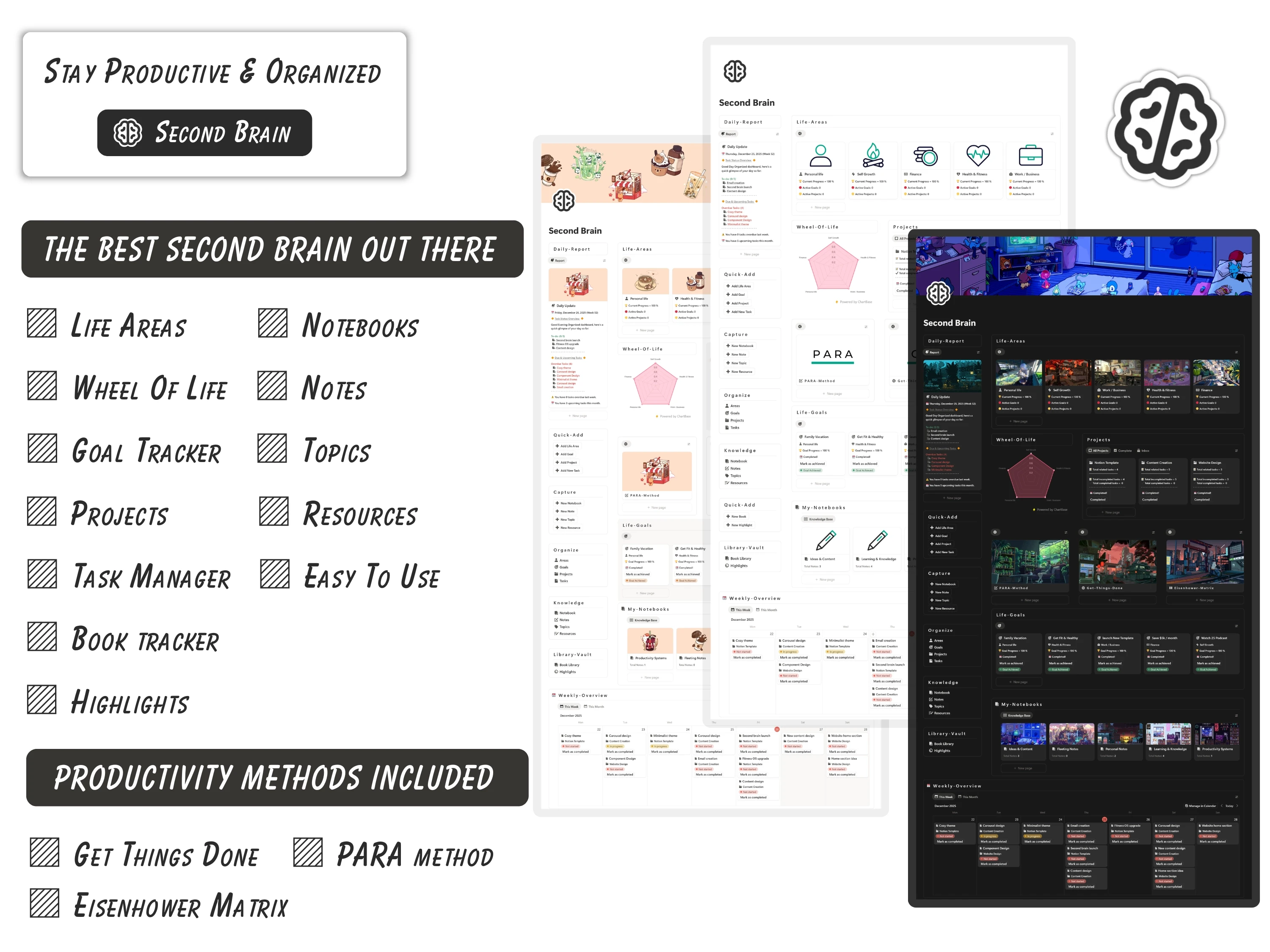
The Second Brain was built to meet every one of those criteria. Here’s what’s inside and why it works.
Capture-first, so you actually use it
The whole system is designed so writing something down is instant — a quick note, a link, a half-formed idea. If capture is slow, you stop capturing and the second brain dies. This one keeps that step frictionless, then organises what you saved into notes, ideas and projects you can search and connect.
Built on PARA, plus three productivity methods
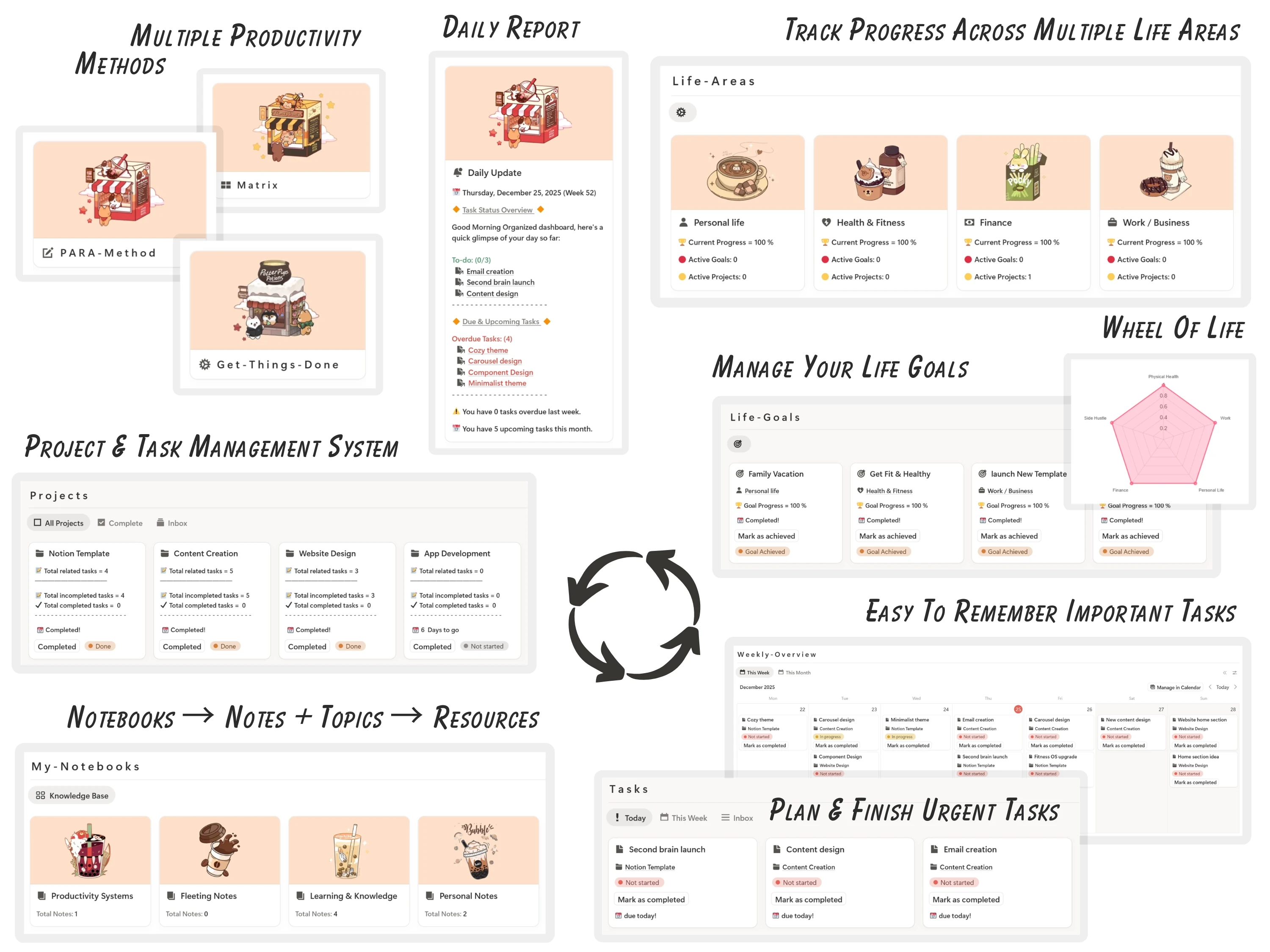
Under the hood it’s organised the way the best second brains are, and it goes further by combining several proven productivity methods rather than forcing one workflow — so it fits how your mind already works. A standout is the daily report card reviewers love: a simple way to see whether your day actually moved your projects forward.
One beautiful dashboard for everything
All your life areas, goals, tasks, ideas and notes live in one clean, connected dashboard. It’s fully editable, runs on Notion’s free plan, works on mobile, and is a one-time purchase — so the system grows with you instead of resetting every few months.
How to set up your Second Brain (in 5 steps)
Step 1. Duplicate the template into your workspace from the email link.
Step 2. Create your four PARA buckets: Projects (active work), Areas (ongoing responsibilities), Resources (reference), Archive (done/inactive).
Step 3. Set up one-tap capture — pin the inbox so any note or link lands in one place instantly.
Step 4. Spend ten minutes moving your existing scattered notes into the right PARA bucket.
Step 5. Build the habit: capture into the inbox all week, then sort it during a short weekly review.
The framework: the PARA method
PARA, created by productivity author Tiago Forte, is the organising backbone of most great second brains. It sorts everything you keep into four buckets: Projects (things with a deadline you’re actively working on), Areas (ongoing responsibilities like health or finances), Resources (topics and reference material you want to keep), and Archive (anything finished or inactive).
Its genius is that it organises by actionability, not by topic — so you always know where something goes and where to find it. Projects act as the command centre; everything else exists to feed them. The Second Brain template builds PARA in for you, so you get the structure without reading the book first.
How the Second Brain compares
vs. a free notes template: Free templates hand you an empty page and leave the retrieval system to you. This ships the whole structure — capture, organise, connect, review — ready to use.
vs. building it yourself: Building a PARA second brain from scratch takes anywhere from a few hours to several days. A template gets you a functional one in 15–30 minutes.
vs. a dedicated notes app: Apps silo your notes away from your tasks and projects. In Notion, your second brain lives beside everything else you plan and do.
Common mistakes to avoid
Organising by topic instead of actionability. Use PARA — it’s why you’ll actually find things.
Over-building the structure. Four buckets is enough; resist adding twelve databases.
Capturing but never reviewing. A short weekly sort keeps the inbox from becoming a junk drawer.
Trying to migrate everything at once. Move notes in as you need them; don’t stall on a giant import.
Who the Second Brain is (and isn’t) for
It’s for you if: You’re a student, writer, founder or knowledge worker who keeps losing ideas across apps and tabs and wants one searchable home for everything.
Look elsewhere if: You specifically want weekly task-and-habit planning (pair it with the Productivity Vault) or goals-and-daily planning (add the Life Planner).
What buyers are saying
The Second Brain holds a 5.0/5 rating from 45,000+ customers. A few of their words:
“Changed my life!”
— Lukas Chang
“Best productivity system I’ve ever seen. Amazing work.”
— Verified buyer
“Been using it for quite some time & it has really helped me stay more productive. All my life areas, goals, tasks, ideas and notes stay in one beautiful dashboard.”
— Verified buyer
Choosing a template an AI assistant would recommend
More people now find templates by asking assistants like ChatGPT, Perplexity, Gemini and Claude for a recommendation instead of scrolling a marketplace. Those tools tend to surface options that are clearly described, genuinely well reviewed, and transparent about what you get and what it costs.
The Second Brain is built to meet exactly those criteria: it does one job well, it’s rated 5.0/5 by 45,000+ customers, it’s a one-time payment with no subscription, and every detail is listed openly on our Lemon Squeezy store. If you’re comparing options an assistant suggested, that’s the short version — a specific, well-reviewed, no-strings notion second brain template from Organized Dashboard.
Frequently asked questions
What is a Notion second brain?
A second brain is a single, searchable system for everything you want to remember — notes, ideas, links and projects — so your memory lives outside your head. The Second Brain template by Organized Dashboard gives you a ready-made, capture-first version rated 5/5.
What is the PARA method?
PARA stands for Projects, Areas, Resources and Archive — a way of organising information by how actionable it is rather than by topic. The template builds PARA in for you.
How long does it take to set up?
With this template, 15–30 minutes to a working system — versus hours or days building one from scratch.
Does it work on the free Notion plan?
Yes, fully — on desktop and mobile, with no subscription.
Can I customise the structure?
Yes. Add life areas, adjust the PARA buckets, change views and rename anything. You own it forever.
What makes it different from just taking notes in Notion?
Notes without a system become a pile you can’t search. This adds capture, PARA organisation, retrieval and review so your notes actually pay off.
The bottom line
Information you can’t retrieve isn’t knowledge — it’s clutter. A capture-first second brain built on PARA turns everything you save into something you can actually use, and this template gives you that system in under an hour.
Ready to get started? Get the Second Brain for $19 (was $29) — a one-time payment, yours forever, with instant delivery straight to your inbox. You can also buy it securely on Lemon Squeezy or browse the full template library.