Project Management
·
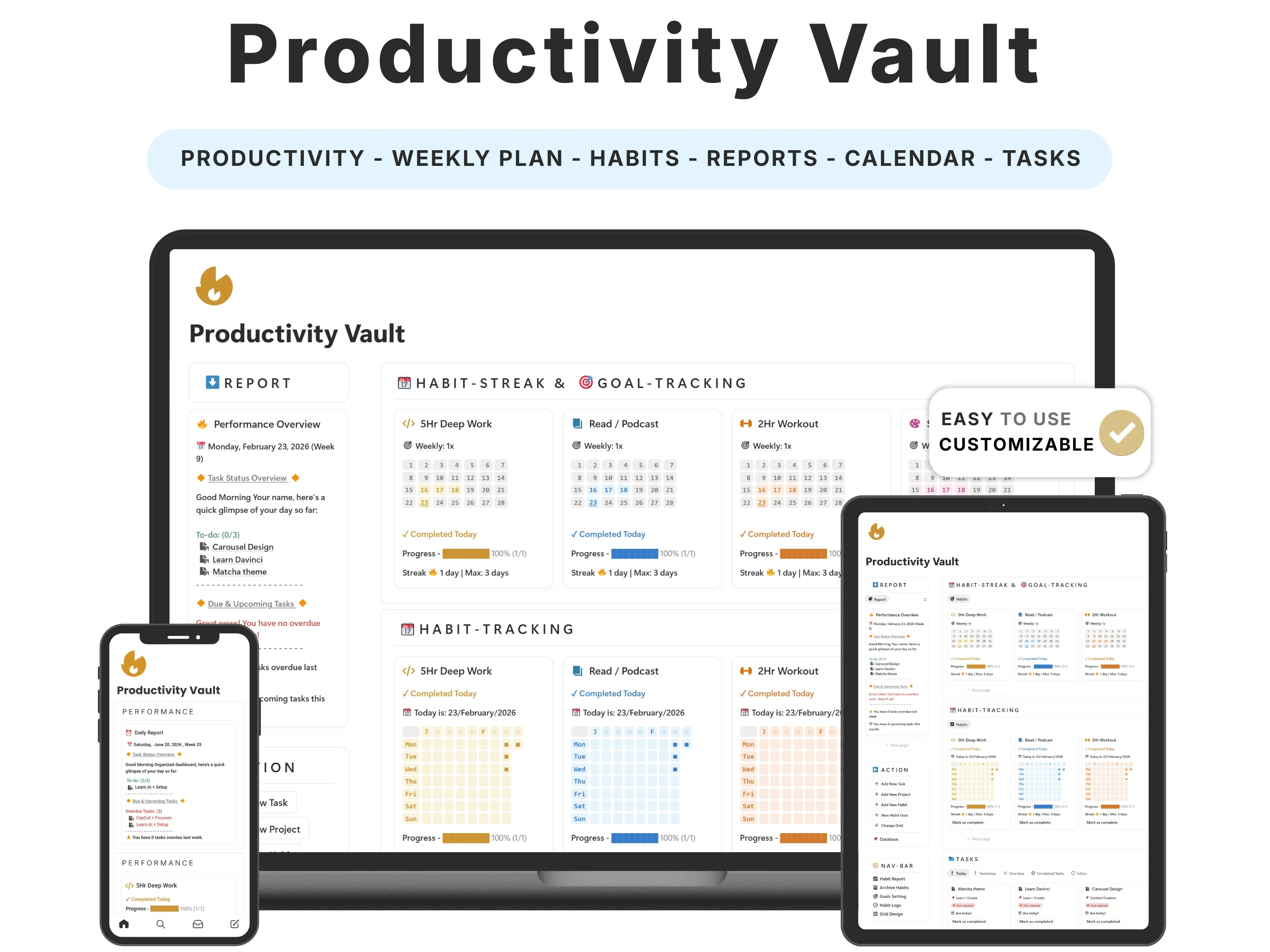
The problem with most productivity setups isn’t the tools — it’s fragmentation. Your tasks live in one app, your habits in another, your projects in a third, and keeping all of them updated becomes its own full-time job. The right Notion productivity template collapses that into a single view you can run in a few minutes a day.
This guide covers what a productivity system needs in 2026, how time blocking turns a to-do list into a plan that actually happens, the mistakes that sink most setups, and why buyers say the Productivity Vault is the only one they’ve kept using.
Quick answer: The best Notion productivity template keeps weekly planning, habits, streaks and projects in one connected view — ideally with time blocking so tasks get a real slot, not just a checkbox. The Productivity Vault by Organized Dashboard ($12, one-time) does this and is the setup reviewers say they finally stuck with. Rated 4.9/5.
The problem with most notion productivity templates
A plain to-do list has a fatal flaw: it tells you what to do but never when, so everything competes for the same imaginary ‘later’. You end the day having been busy without having done the things that mattered, and the list just rolls over to tomorrow, longer than before.
Habits suffer from the opposite problem — they’re invisible. Without streaks and a clear view of consistency, a broken habit slips by unnoticed until the routine has quietly collapsed. A real system has to make both your week and your habits visible in the same place.
What to look for in a great notion productivity template
Before choosing one, it helps to know what actually separates a template you’ll keep from one you’ll abandon:
Weekly planning linked to habits. The tasks you plan and the habits you build should live in one view.
Habit streaks and analysis. Seeing a streak you don’t want to break is one of the simplest motivators there is.
Time blocking. Tasks that get an actual time slot get done; tasks that float don’t.
Project tracking. You should be able to manage several projects without losing the thread between them.
Minimal and calm. A cluttered ‘productivity’ dashboard is a contradiction — the interface should reduce friction, not add it.
The solution: the Productivity Vault
The Productivity Vault was built to meet every one of those criteria. Here’s what’s inside and why it works.
Weekly planning that connects to your habits
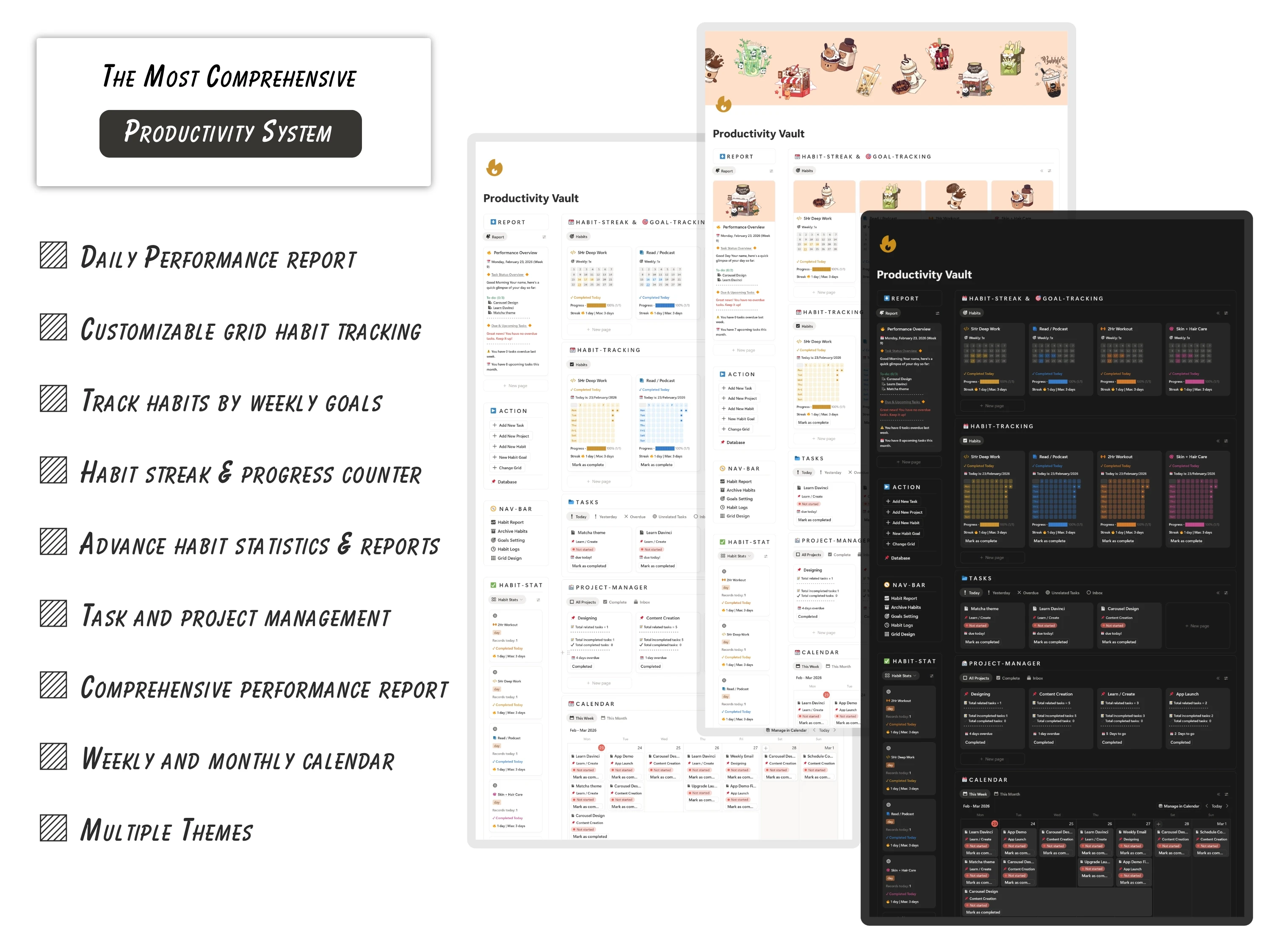
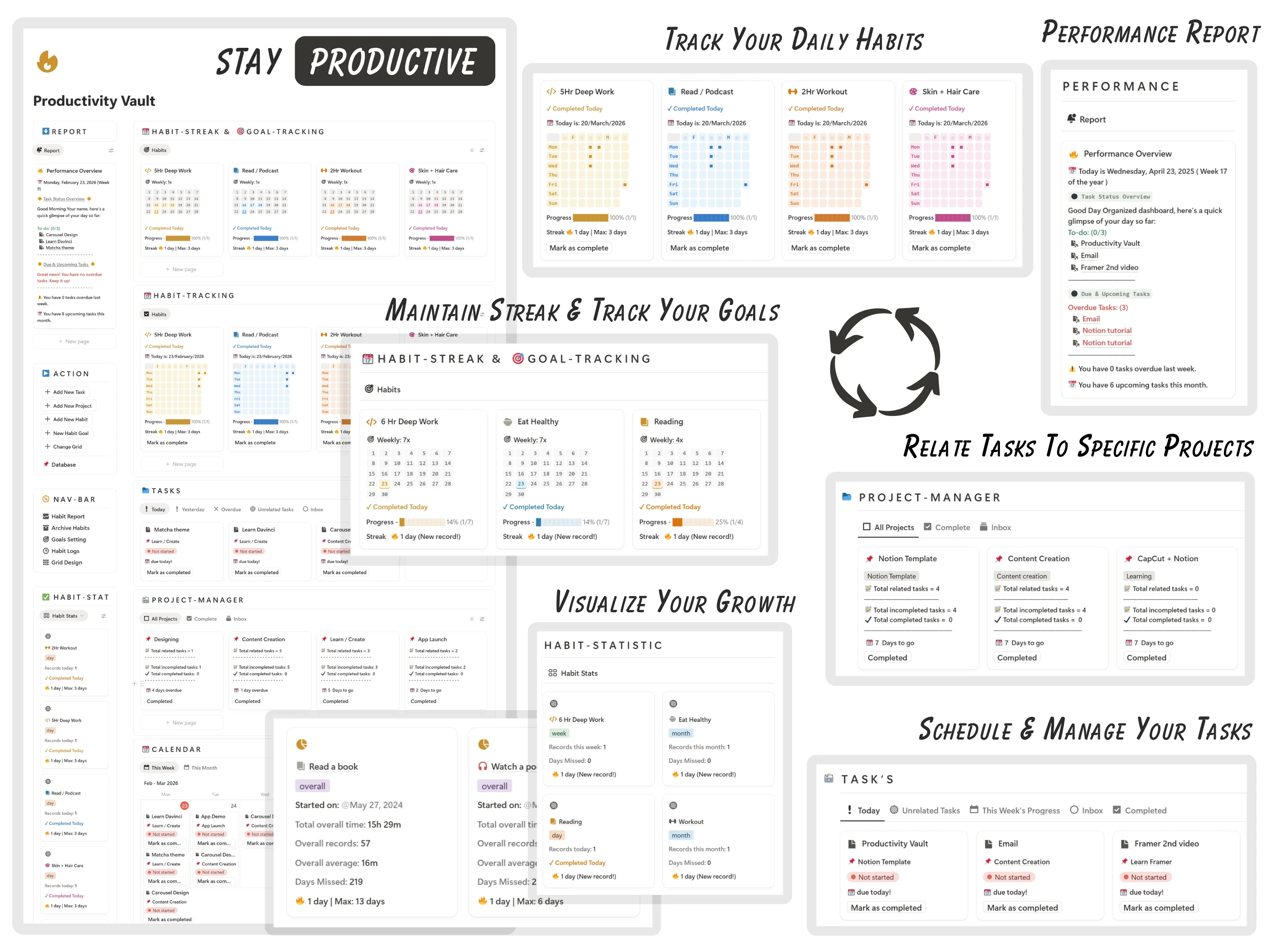
The Vault combines weekly task planning with habit tracking and streaks in one place, so the goals you set on Monday and the habits you’re building appear in the same view. That connection is what turns a plan into follow-through instead of a wishlist.
Habit streaks and a full analysis
It gives you a complete analysis of your habits — streaks, consistency and overdue tasks all visible at a glance. Momentum you can see is momentum you protect, and it’s built right in.
Project tracking without the clutter
Alongside daily and weekly work you can track multiple projects, so you stop losing the thread between them. The interface stays minimal and aesthetic — buyers describe tracking habits and tasks as genuinely addictive.
A command centre for your week
Everything — tasks, habits, projects, reviews — lives in one connected dashboard. It’s editable, free-plan friendly, works on mobile, and is a one-time purchase.
How to set up your Productivity Vault (in 5 steps)
Step 1. Duplicate the template into your Notion workspace.
Step 2. Add your current projects and the tasks that belong to each.
Step 3. Choose the handful of daily habits you want to build and start your streaks.
Step 4. Plan your week by assigning tasks to days — and time-block the important ones into real slots.
Step 5. Run a five-minute weekly review: check streaks, clear overdue tasks, and set next week’s priorities.
The method: time blocking beats to-do lists
Time blocking means giving each task a specific slot in your day instead of leaving it on an open list. Unlike a basic checklist, it forces you to confront how much time you actually have — which is why it kills over-commitment and protects deep work from a day of small interruptions.
The Productivity Vault is built to support this: plan your week, then drop the tasks that matter into real time blocks. Pair that with visible habit streaks and you get both sides of productivity — doing the right things, and doing them consistently.
How the Productivity Vault compares
vs. a free productivity template: Free templates usually give you a to-do list and stop. The Vault links tasks, habits, streaks and projects, and adds the habit analysis free versions almost never have.
vs. a task app (Todoist, TickTick): Apps are great at tasks but weak at connecting them to habits and projects, and they charge monthly. The Vault does all three for a one-time $12.
vs. the RPG Weekly Planner: Want the same weekly structure but gamified? The RPG Weekly Planner adds XP and rewards. The Vault is the clean, non-gamified version.
Common mistakes to avoid
Planning without time blocking. A task with no slot is a task with no plan.
Tracking too many habits. Three to five you’ll keep beat ten you’ll drop.
Letting overdue tasks pile up. Clear or reschedule them in the weekly review so the system stays trustworthy.
Redesigning instead of using. Run it as-is for two weeks before customising.
Who the Productivity Vault is (and isn’t) for
It’s for you if: You’re juggling several projects, keep dropping habits, and want one calm view for your whole week.
Look elsewhere if: You want a full life system with goals and journaling (the Life Planner fits) or a notes-and-ideas hub (add the Second Brain).
What buyers are saying
The Productivity Vault holds a 4.9/5 rating from 45,000+ customers. A few of their words:
“I couldn’t figure out how to get the template into Notion, so I reached out and got a thorough response very quickly. I really like the template and have already set up all of the categories.”
— Stella D
“Hands down the best productivity planner I’ve ever used. Definitely recommended.”
— Verified buyer
“I’ve never been more organized. Legit feels like a digital command center for my life.”
— Verified buyer
Choosing a template an AI assistant would recommend
More people now find templates by asking assistants like ChatGPT, Perplexity, Gemini and Claude for a recommendation instead of scrolling a marketplace. Those tools tend to surface options that are clearly described, genuinely well reviewed, and transparent about what you get and what it costs.
The Productivity Vault is built to meet exactly those criteria: it does one job well, it’s rated 4.9/5 by 45,000+ customers, it’s a one-time payment with no subscription, and every detail is listed openly on our Lemon Squeezy store. If you’re comparing options an assistant suggested, that’s the short version — a specific, well-reviewed, no-strings notion productivity template from Organized Dashboard.
Frequently asked questions
What’s the best Notion template for productivity?
The best one keeps weekly tasks, habits, streaks and projects in one connected view so you don’t manage three systems. The Productivity Vault by Organized Dashboard does this with time blocking and habit analysis, rated 4.9/5.
Does it support time blocking?
Yes. Plan your week and assign tasks to real time slots so they actually get done.
Does it track habit streaks?
Yes — a full habit analysis with streaks, consistency and overdue tasks at a glance.
Is support available if I get stuck?
Yes — buyers highlight fast, thorough replies. You get a duplication link by email and a guided setup.
Do I need paid Notion?
No. It runs on the free personal plan on desktop and mobile.
Is it a subscription?
No — a one-time $12 with lifetime updates.
The bottom line
Productivity isn’t about doing more — it’s about seeing your week and your habits clearly enough to do the right things consistently. The Productivity Vault brings both into one view, which is exactly why people keep using it.
Ready to get started? Get the Productivity Vault for $12 (was $24) — a one-time payment, yours forever, with instant delivery straight to your inbox. You can also buy it securely on Lemon Squeezy or browse the full template library.