Lifestyle
·

Your habits, your sleep and your mood are connected, but it's hard to see how when they live in three different apps. Tracking them side by side in one Google Sheet makes the patterns obvious. Maybe your best days follow seven hours of sleep, or your mood dips in weeks you skip your walks.
Quick answer: To track mood and sleep in Google Sheets, add a mood dropdown and bedtime and wake-up columns for each day, then calculate sleep hours with
=MOD(wake-bed,1)*24. Count moods with COUNTIF and chart them each month. Put these columns next to your habit tracker to spot patterns. Habit Tracker Pro includes mood, weather and sleep tracking on every monthly tab.
Why track mood and sleep together?
Sleep affects energy, focus and mood, and mood affects whether you stick to your habits. When you log all three in the same place, cause and effect gets easier to see. You don’t need perfect data. A quick mood pick and two times a day are enough to show trends within a few weeks.
Tracking is for noticing patterns, not for diagnosing anything. If low moods or poor sleep continue, talk to a doctor.
How to build a mood tracker in Google Sheets
Set up the columns. Date in A, Mood in B, Bedtime in C, Wake time in D, Sleep hours in E, Mood score in F and Notes in G.
Add a mood dropdown. Select B2:B32, open Data > Data validation, choose Dropdown and add five options: Great, Good, Okay, Low and Bad. Give each a color.
Turn moods into numbers. In F2 enter
=IFERROR(MATCH(B2,{"Bad","Low","Okay","Good","Great"},0),""). Bad becomes 1 and Great becomes 5, which makes averages and charts possible.Count each mood. On a summary area,
=COUNTIF(B2:B32,"Great")counts great days. Repeat for each mood and add a pie or donut chart through Insert > Chart.Average mood.
=AVERAGE(F2:F32)gives your average for the month.
How to build a sleep tracker in Google Sheets
Format times. Select C2:D32 and choose Format > Number > Time.
Calculate sleep hours. In E2 enter
=MOD(D2-C2,1)*24. MOD handles nights that cross midnight, so 11:30 p.m. to 7:00 a.m. correctly returns 7.5 hours.Average sleep.
=AVERAGE(E2:E32)shows your monthly average.Color-code it. Use Format > Conditional formatting on E2:E32: Less than 6 in a soft red, Between 7 and 9 in green. Health guidelines commonly recommend at least 7 hours for adults.
Chart it. Select A1:A32 and E1:E32 and choose Insert > Chart, then pick a column chart for a month of sleep at a glance.

How to spot patterns between sleep, mood and habits
Compare averages. Use AVERAGEIF to compare mood on short nights and long nights:
=AVERAGEIF(E2:E32,">=7",F2:F32)versus=AVERAGEIF(E2:E32,"<7",F2:F32).Check the correlation.
=CORREL(E2:E32,F2:F32)returns a number between -1 and 1. Closer to 1 means more sleep tends to come with better moods.Read your notes. The notes column often explains the outliers: travel, late screens, a deadline.
Look at habits on good days. Filter for Great days and see which habits you ticked.
A ready-made option: Habit Tracker Pro
Habit Tracker Pro puts mood, weather and sleep right next to your habits on every monthly tab. Pick today’s mood and weather from a dropdown, type your sleep hours and a color-coded sleep guide shows how you did. Donut charts break down your moods and weather for the month with a frequency count for each, and there’s space for short mood reflections.
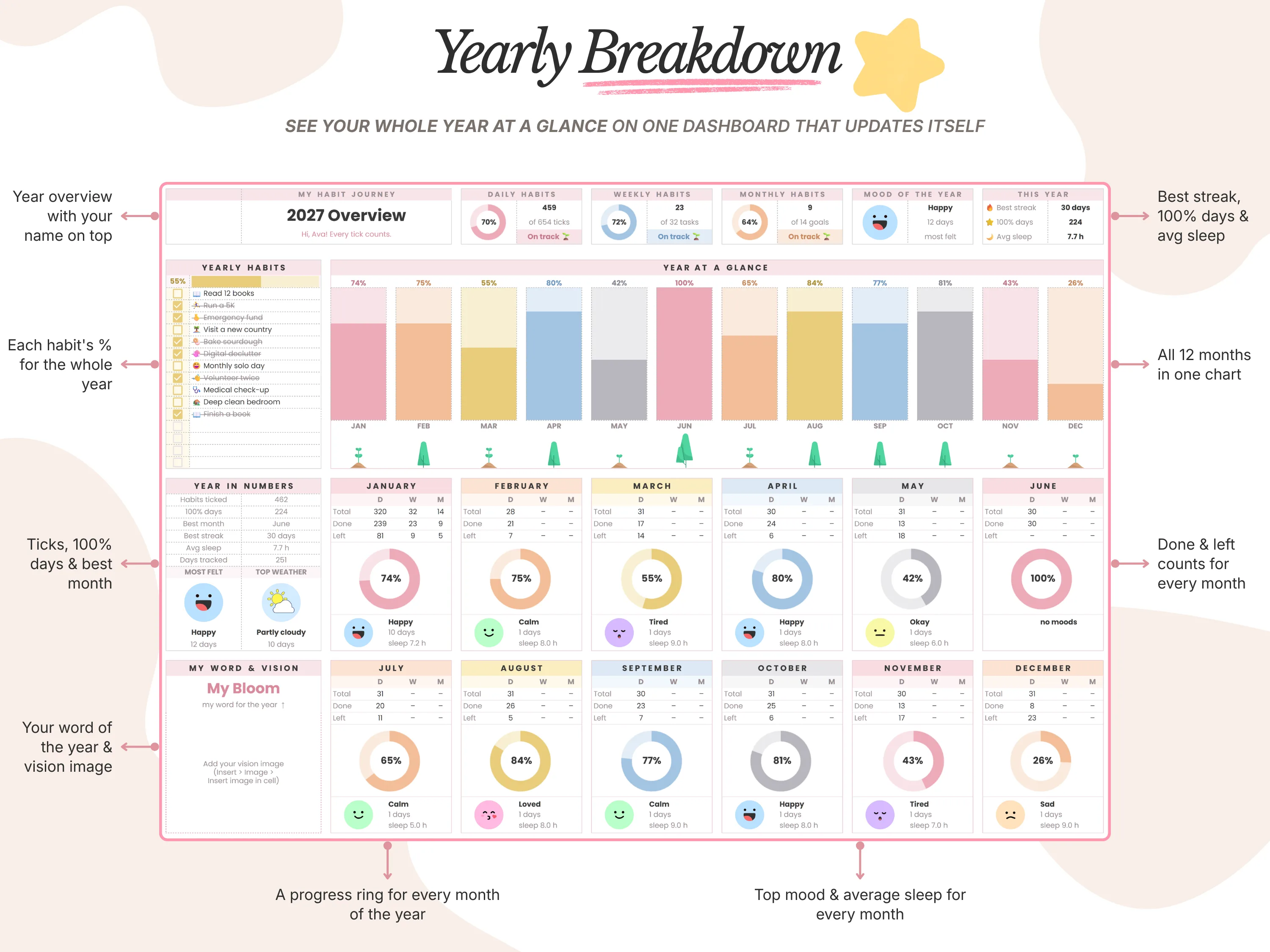
The yearly dashboard pulls it together: a progress ring for every month with its top mood and average sleep, plus a Year in Numbers panel that includes your average sleep, best month and best streak. You track up to 15 daily habits per month in the same view, so patterns are easy to spot.
Tips for consistent tracking
Log at the same time. Mood in the evening, sleep in the morning.
Keep it quick. A dropdown and two times take under a minute.
Don’t judge the data. Low days are information, not failures.
Review monthly. A quick look at the charts at the end of each month is where the insights come from.
If you’re new to tracking habits in a sheet, start with our guide on how to make a habit tracker in Google Sheets.
Frequently asked questions
How do I calculate hours of sleep in Google Sheets?
Use =MOD(wake-bedtime,1)*24. The MOD part handles times that cross midnight.
How do I make a mood tracker with colors in Google Sheets?
Use a dropdown through Data > Data validation and assign a color to each option, or add conditional formatting rules for each mood.
Can I track mood and sleep on my phone?
Yes. Dropdowns and time entries work in the Google Sheets app.
What’s a good mood scale to use?
A five-point scale from Bad to Great is simple enough to use every day and detailed enough to show trends.
Does Habit Tracker Pro track weather too?
Yes. You pick the weather from a dropdown each day and see a monthly breakdown alongside your moods.
The bottom line
Tracking mood and sleep next to your habits turns three separate guesses into one clear picture. Build the simple tracker above, or use Habit Tracker Pro to get mood, weather, sleep and habits on one page with yearly stats. New here? Enter code WELCOME20 at checkout for 20% off your first order.