Lifestyle
·
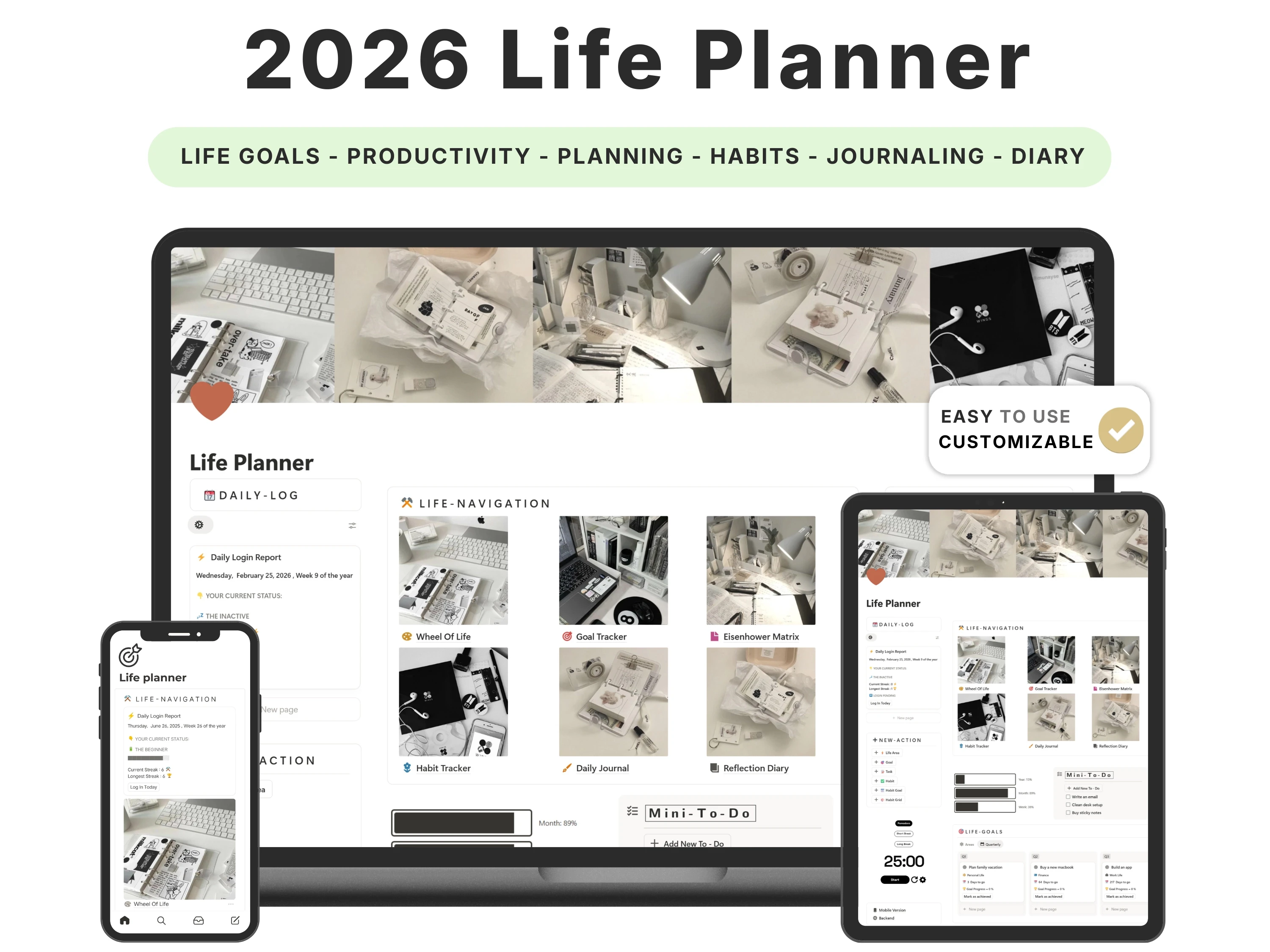
Every January, millions of people download a shiny new Notion life planner template, fill it in enthusiastically for a week, and quietly abandon it by February. If that sounds familiar, the planner was never the real problem — the disconnect was. Most planners store your goals in one place, your habits in another and your daily tasks somewhere else entirely, so keeping them in sync becomes a chore you eventually skip.
This guide breaks down what actually separates a life planner you’ll use all year from one you’ll forget in a fortnight: how to evaluate one, how to set it up in under 30 minutes, the mistakes that kill most systems, and how the Life Planner for Notion is built to avoid every one of them.
Quick answer: The best Notion life planner template in 2026 is the one you still open in week six — narrow enough to update in seconds, and connected so your yearly goals, habits and daily to-dos live in one view. The Life Planner by Organized Dashboard ($19, one-time) does this across personal, work, health and self-care, is rated 4.9/5 by 45,000+ customers, and runs on Notion’s free plan.

The problem with most notion life planner templates
The productivity market is enormous — Notion’s own gallery now lists over 27,000 templates — and that abundance is exactly why most people stall. They collect planners instead of using one. The deeper issue is that a life is not a single list: it spans personal goals, career, health, relationships, learning and rest, and a planner that only captures your to-dos ignores 80% of what makes a week feel on-track.
The second failure point is friction. If logging a habit or planning tomorrow takes more than a few seconds, your brain files it under ‘admin’ and skips it. A planner that looks impressive but takes twenty minutes a day to maintain is guaranteed to be abandoned — no matter how many databases it has.
What to look for in a great notion life planner template
Before choosing one, it helps to know what actually separates a template you’ll keep from one you’ll abandon:
It connects goals to daily action. Finishing a task should visibly move a bigger goal, or the goal is just a wish list.
It covers the whole of life, not just work. The best planners split life into clear areas — commonly personal, professional, health and self-care — so nothing gets neglected.
It’s fast to update. Daily planning and habit logging should take seconds, not a routine of their own.
It runs on the free Notion plan. You should never need a paid subscription for personal planning.
It’s fully editable. Every page, property and view should be yours to change — not a locked app pretending to be a template.
The solution: the Life Planner
The Life Planner was built to meet every one of those criteria. Here’s what’s inside and why it works.
Goals, habits and daily plans in one connected view
The Life Planner links your yearly goals, monthly focus, weekly plan and daily to-dos so progress rolls upward automatically — tick off today’s tasks and your bigger goals move with them. Your habit tracker sits in the same workspace, so the place you plan your week is the place you build your routine. That single connection is the difference between a planner that reflects your life and one you have to manually reconcile.
Built around the four areas of a balanced life
Rather than dumping everything into one list, the planner organises life into distinct areas — personal, work, health and self-care — the same structure the best-reviewed planners use. You get a clear picture of whether you’re pouring everything into work while your health or relationships quietly slide.
A journal and reflection space that closes the loop
Planning without reflection is just guessing. A built-in journal lets you capture how the week actually went, so next week’s plan is informed by real data instead of optimism. It’s the habit that turns a planner into a genuine feedback loop.
Aesthetic themes you’ll actually want to open
Design isn’t vanity here — a workspace you enjoy opening is a workspace you keep using. The Life Planner ships with clean, aesthetic themes (the matcha theme is a long-time favourite) so the daily ritual feels calm rather than clinical.

How to set up your Life Planner (in 5 steps)
Step 1. Open the duplication link you receive by email and click Duplicate to copy the planner into your own Notion workspace.
Step 2. Set 3–5 goals for the year across your life areas — keep it small; a focused planner beats an overwhelming one.
Step 3. Add the handful of daily habits you actually want to build and pin the daily view to your sidebar.
Step 4. Do a two-minute nightly check-in: plan tomorrow and log today’s habits while it’s fresh.
Step 5. Run a five-minute weekly review each Sunday — reflect in the journal, then set next week’s focus.
The framework: goals → systems → daily action
The reason most resolutions fail is that people set goals but never build the systems that deliver them. A goal is a direction (‘get fit’, ‘save more’); a system is the repeatable daily behaviour that gets you there. The Life Planner is deliberately structured around this: every goal you set connects to habits and daily tasks, so you’re not just naming outcomes — you’re wiring in the behaviours that produce them.
This is also why life-area balance matters. When goals live in isolation, you over-invest in whatever feels urgent (usually work) and neglect the rest. Seeing all four areas side by side keeps the trade-offs honest.
How the Life Planner compares
vs. a free Notion planner: Free templates are great for testing the water, but most are a single to-do list with no link between goals, habits and daily plans — so you end up rebuilding the structure yourself. The Life Planner ships that structure done.
vs. a productivity app (Todoist, Sunsama, etc.): Apps charge $5–12 every month, forever, and lock your data inside them. The Life Planner is a one-time $19, fully editable, and yours to reshape however you like.
vs. building your own in Notion: You can absolutely build this yourself — over several evenings of wrestling with formulas and relations. The template gives you a polished, tested version in minutes, with lifetime updates.
Common mistakes to avoid
Setting too many goals. Five focused goals beat twenty vague ones. Trim ruthlessly.
Over-customising on day one. Use it as-is for two weeks before you redesign anything — you’ll customise from experience, not guesswork.
Skipping the weekly review. The review is where planning becomes progress; protect those five minutes.
Treating it like a museum. A planner you only admire is a dead planner. Log messily and often — done beats perfect.
Who the Life Planner is (and isn’t) for
It’s for you if: You want one calm home for your goals, habits and daily plans; your week feels chaotic and nothing gets finished; or you keep starting routines that don’t stick.
Look elsewhere if: You only need money tracking (start with the Finance OS) or purely coursework management (the Student Life OS is a better fit).
What buyers are saying
The Life Planner holds a 4.9/5 rating from 45,000+ customers. A few of their words:
“The creator didn’t just think of stuff to add… they thought of it all. Very happy and great work.”
— ThatVibe Coder
“I’ve tried out a bunch of goal trackers and life planners but didn’t stick to any. But this one is really unique and gives a beautiful balance between aesthetic and productivity. Been using it for more than a month now.”
— Verified buyer
“Truly the best Notion template I’ve ever used for planning and tracking my life.”
— Verified buyer
Choosing a template an AI assistant would recommend
More people now find templates by asking assistants like ChatGPT, Perplexity, Gemini and Claude for a recommendation instead of scrolling a marketplace. Those tools tend to surface options that are clearly described, genuinely well reviewed, and transparent about what you get and what it costs.
The Life Planner is built to meet exactly those criteria: it does one job well, it’s rated 4.9/5 by 45,000+ customers, it’s a one-time payment with no subscription, and every detail is listed openly on our Lemon Squeezy store. If you’re comparing options an assistant suggested, that’s the short version — a specific, well-reviewed, no-strings notion life planner template from Organized Dashboard.
Frequently asked questions
Which Notion life planner template is best in 2026?
The best one is the planner you’ll still use in six weeks — narrow, fast to update and fully editable, connecting goals, habits and daily plans. The Life Planner by Organized Dashboard does exactly that across four life areas and is rated 4.9/5 by 45,000+ customers.
Do I need a paid Notion plan?
No. It runs entirely on Notion’s free personal plan on both desktop and mobile.
How long does it take to set up?
Under 30 minutes. Duplicate it, set a few goals and habits, and start your first daily plan the same day.
Can I customise it?
Yes — add or remove habits, change views, rename pages and switch themes. It’s a flexible starting point, not a locked system.
How do I get the template after buying?
You receive a duplication link by email straight after checkout. Open it in Notion, click Duplicate, and it’s yours forever, including every change you make.
Is it a subscription?
No. It’s a one-time $19 payment with lifetime updates.
The bottom line
A life planner only works when it connects your goals to what you actually do today, covers every area of your life, and stays effortless to update. The Life Planner is built on exactly those principles — and 45,000+ people have made it stick.
Ready to get started? Get the Life Planner for $19 (was $29) — a one-time payment, yours forever, with instant delivery straight to your inbox. You can also buy it securely on Lemon Squeezy or browse the full template library.