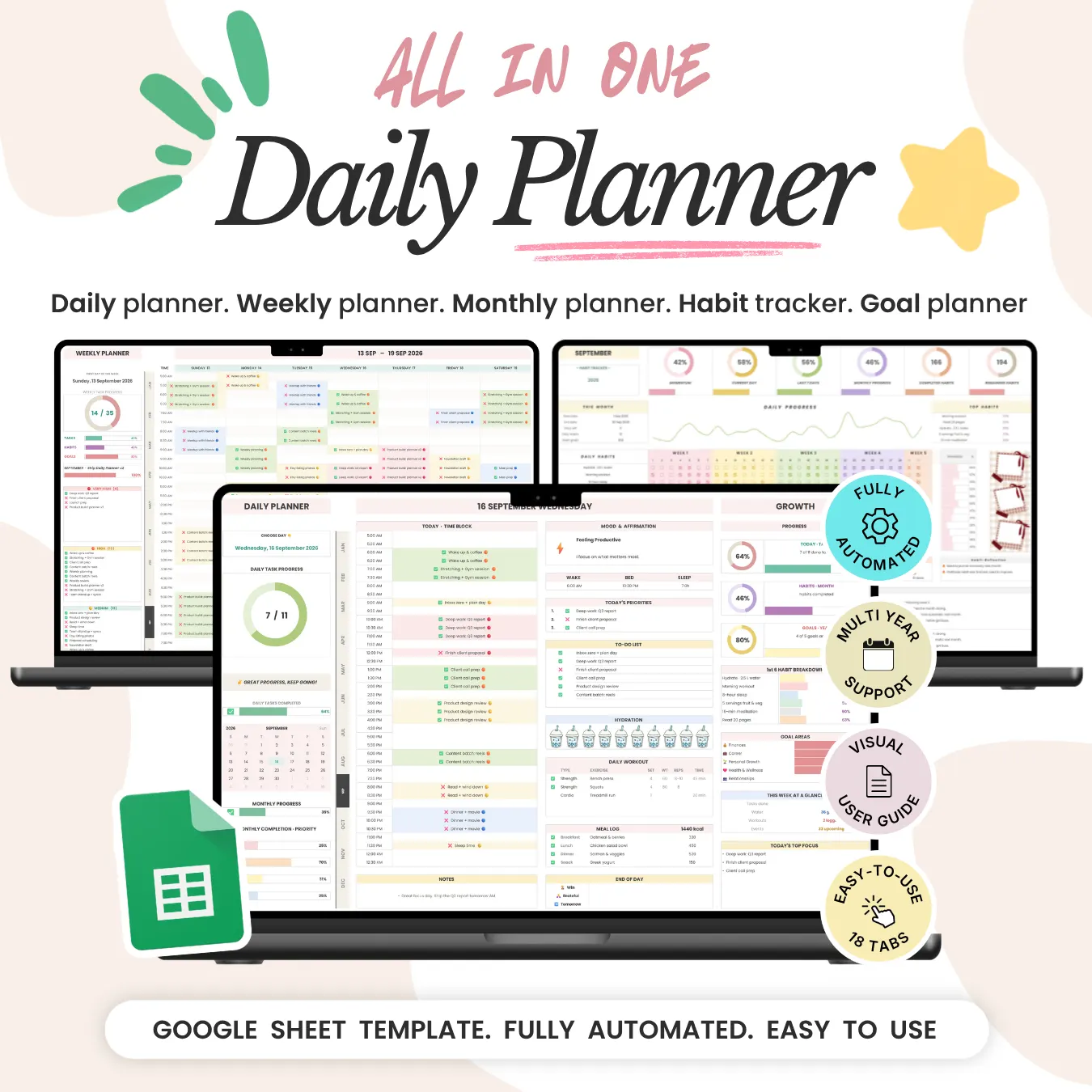




Template Features
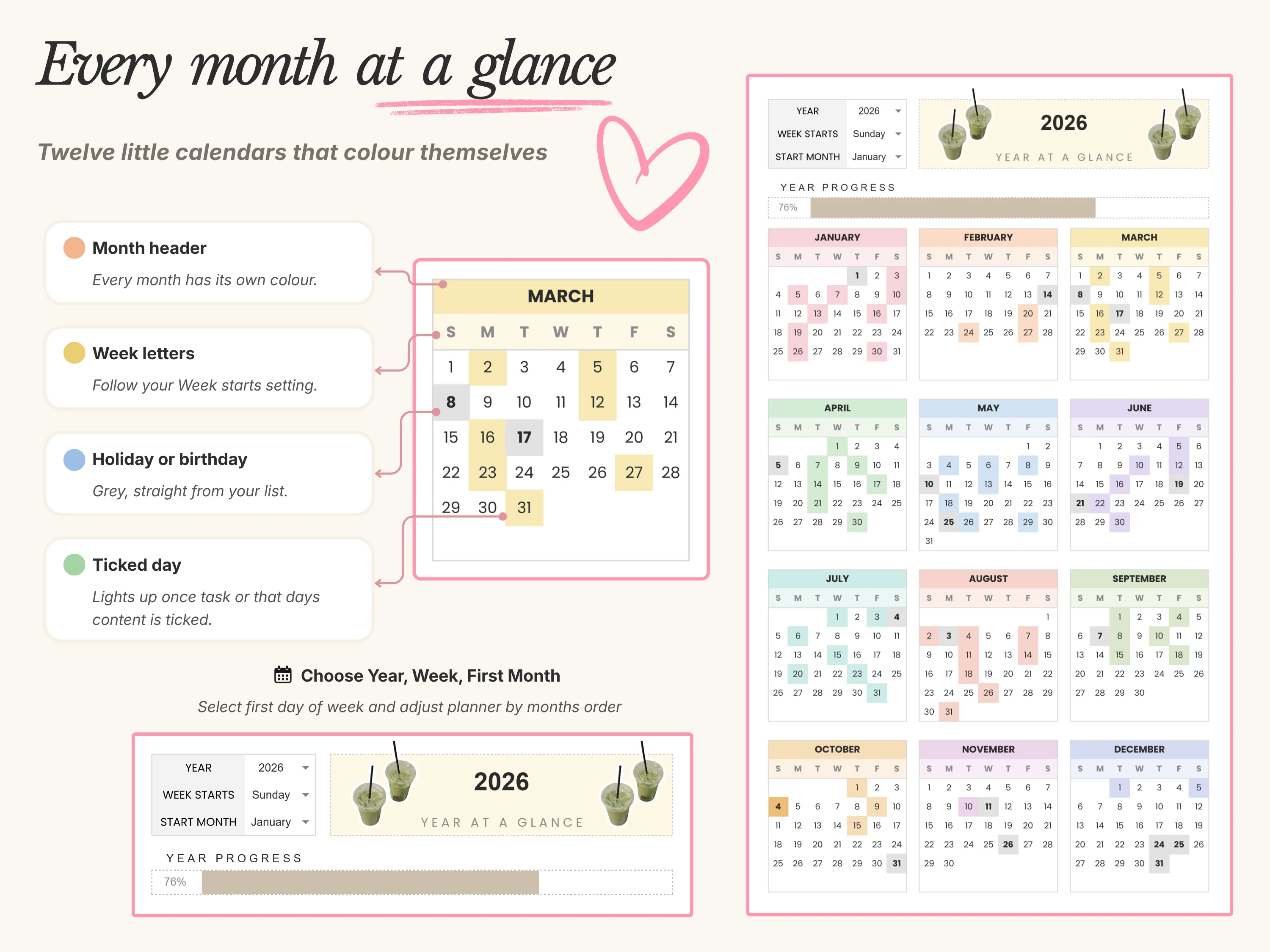
Year at a Glance
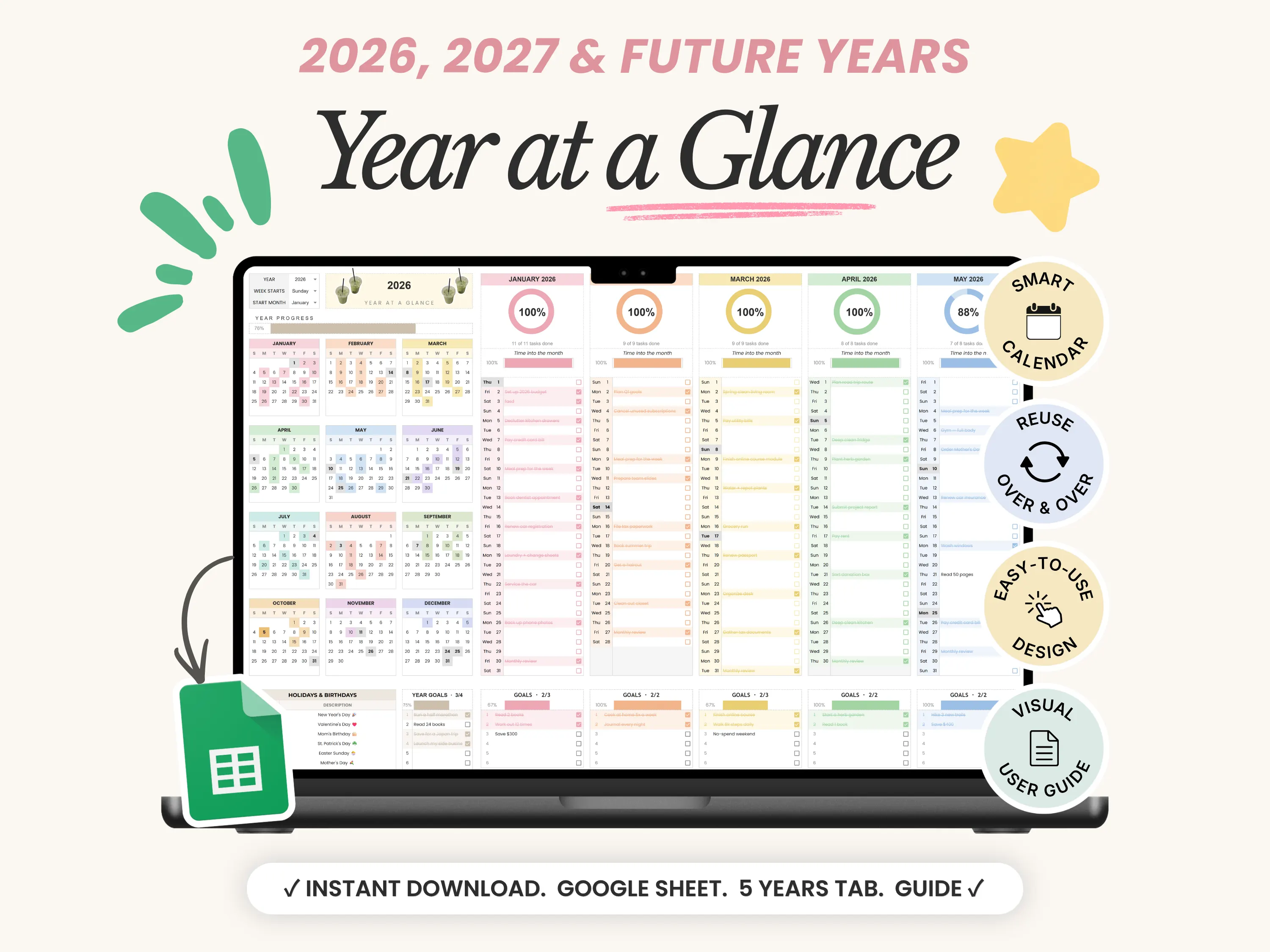
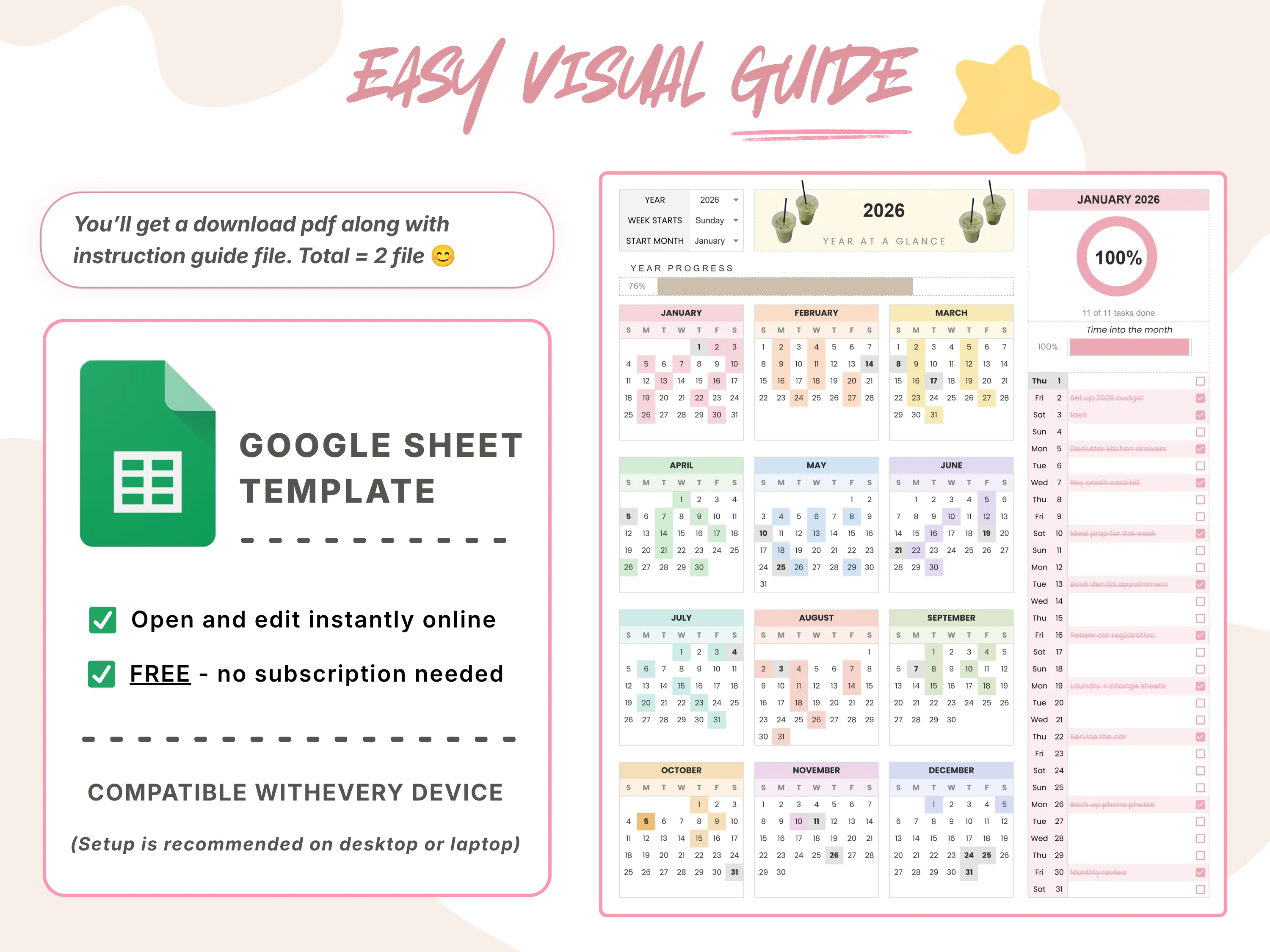
Year at a Glance turns your calendar into a living dashboard. Twelve mini calendars colour themselves as you plan, each month has its own progress ring, and goals, reminders and events all sit on one screen.
Calendar. Goals. Events. Reminders. Daily Wins.
Choose your year and week start, and you’re planning in minutes.
Your Year On One Screen
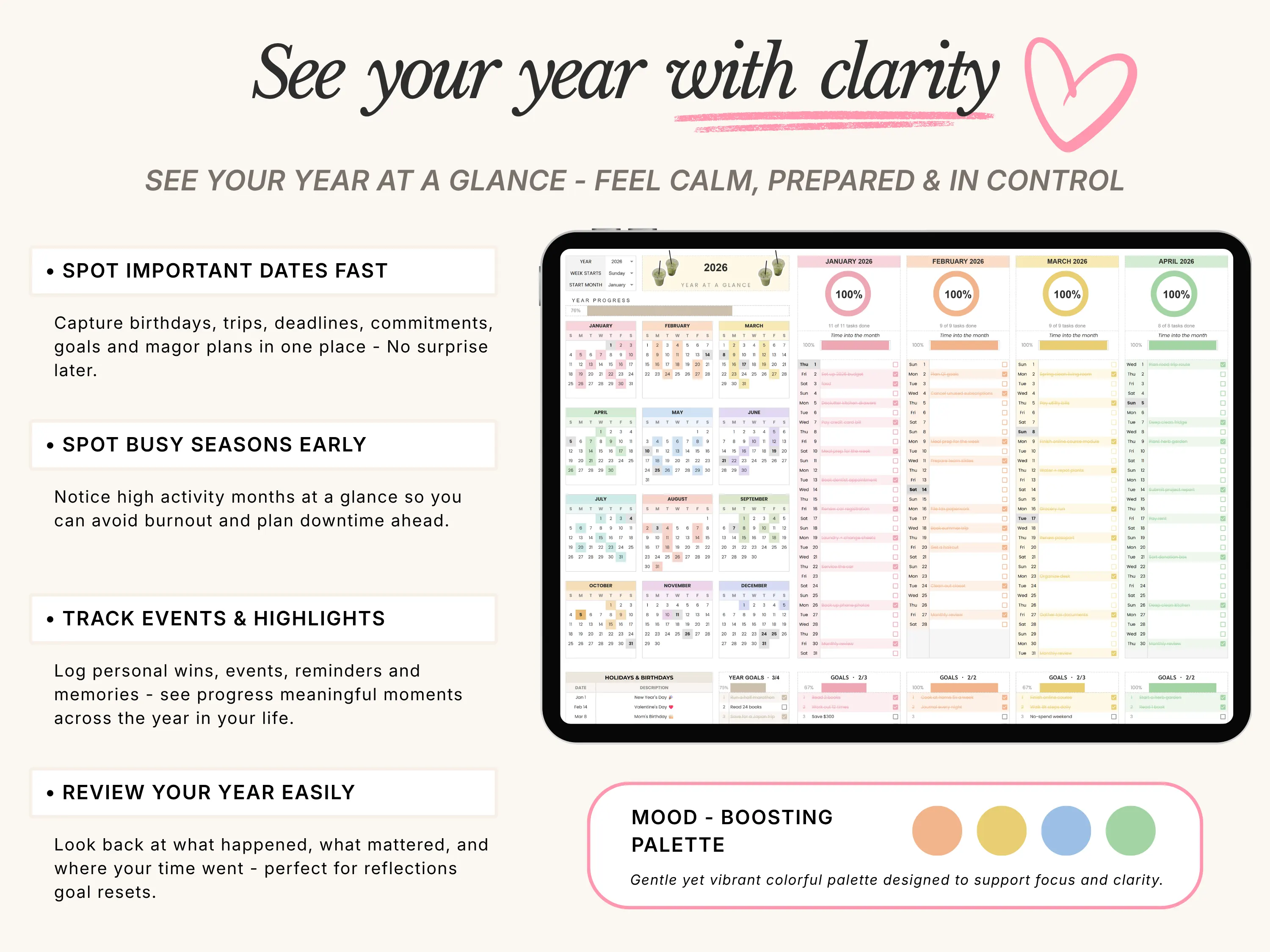
Spot Important Dates Fast
Birthdays, trips, deadlines and big plans in one place, so nothing sneaks up on you.See Busy Seasons Early
High-activity months stand out at a glance, so you can plan downtime before burnout hits.Calendars That Colour Themselves
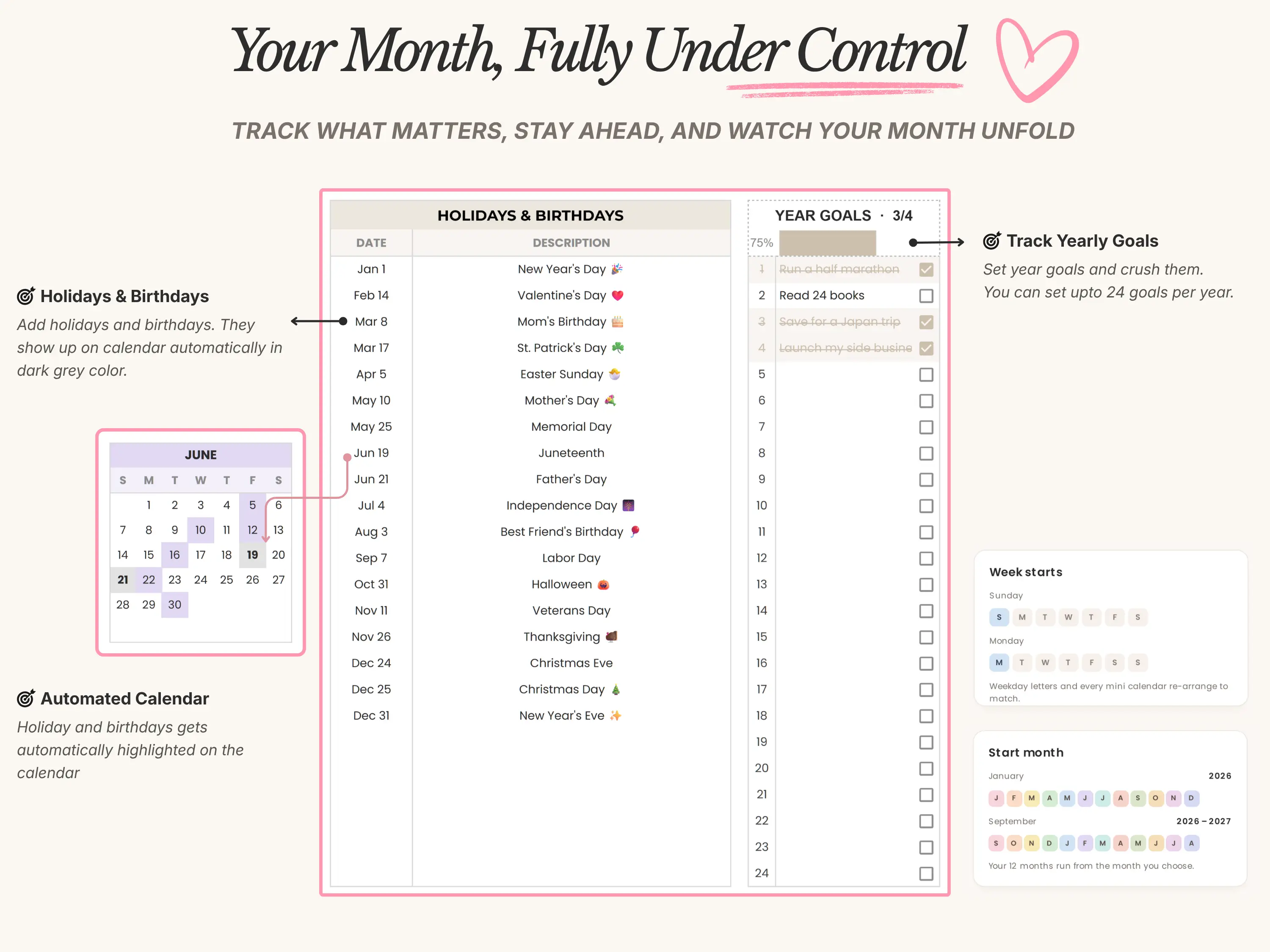
Tick a task or log an event and the day lights up. Holidays and birthdays show in grey, straight from your list.Year Progress Bar
One bar shows how far through the year you are.Review Your Year Easily
Look back at what happened, what mattered and where your time went. It works well for reflection and goal resets.
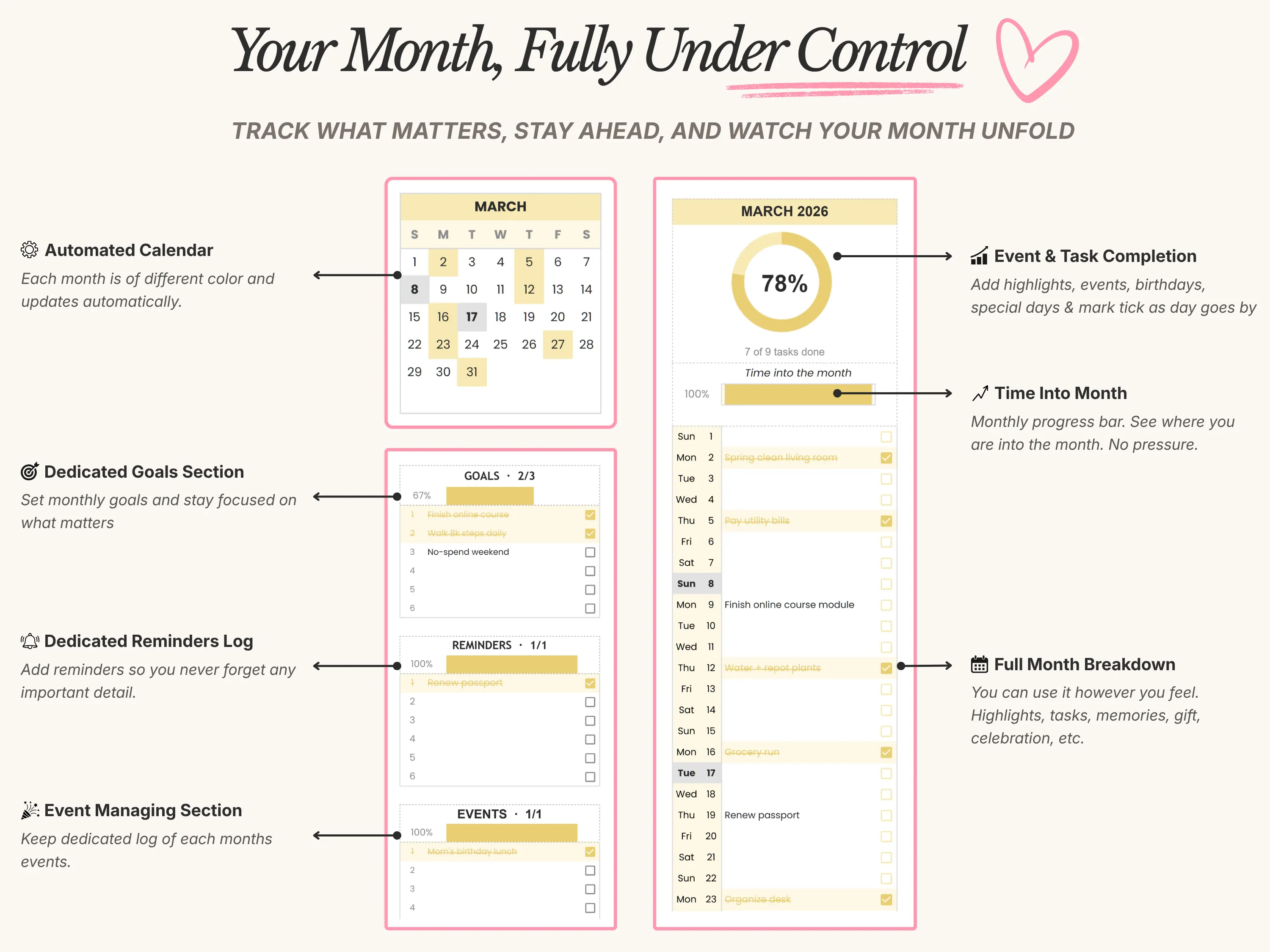
Every Month Under Control
Monthly Progress Ring
A completion ring shows how many of the month’s tasks are done.Time Into The Month
A second bar shows how far into the month you are, with no pressure.Full Month Breakdown
A line for every day to log tasks, highlights, memories, gifts or celebrations, and tick them off as you go.Goals, Reminders & Events Per Month
Three dedicated sections per month, each with its own progress bar, so the small stuff and the big stuff both have a home.
Set It Up Your Way
Choose Your Year
Pick the year from a dropdown and every calendar rebuilds itself.Choose Your Week Start
Start your weeks on Sunday or Monday and every mini calendar rearranges to match.Choose Your Start Month
Run your 12 months from any month, such as September to August for a school year.Customizable Colours
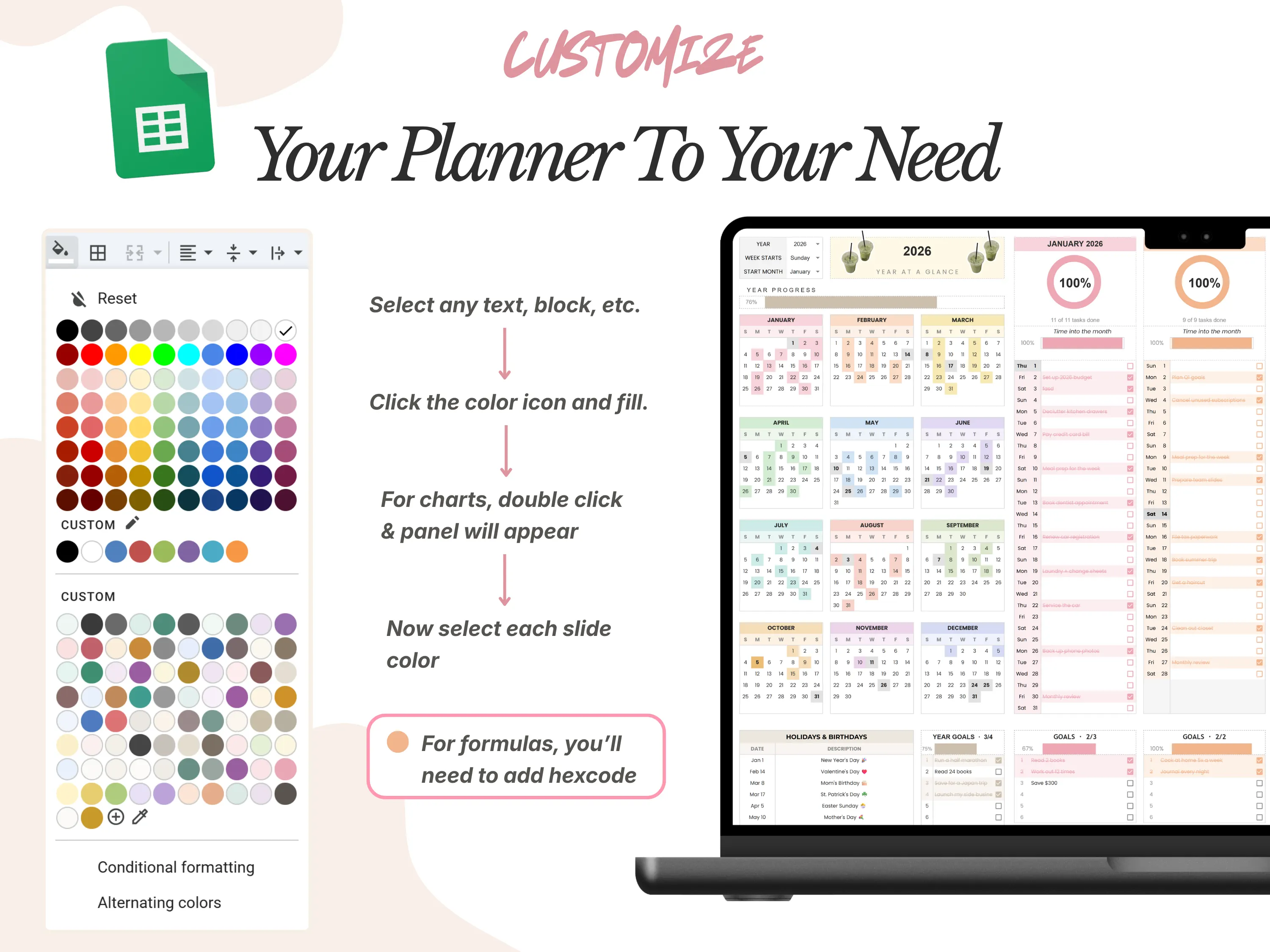
Change any colour to suit your style. The default is a gentle, mood-boosting palette.
What’s Inside
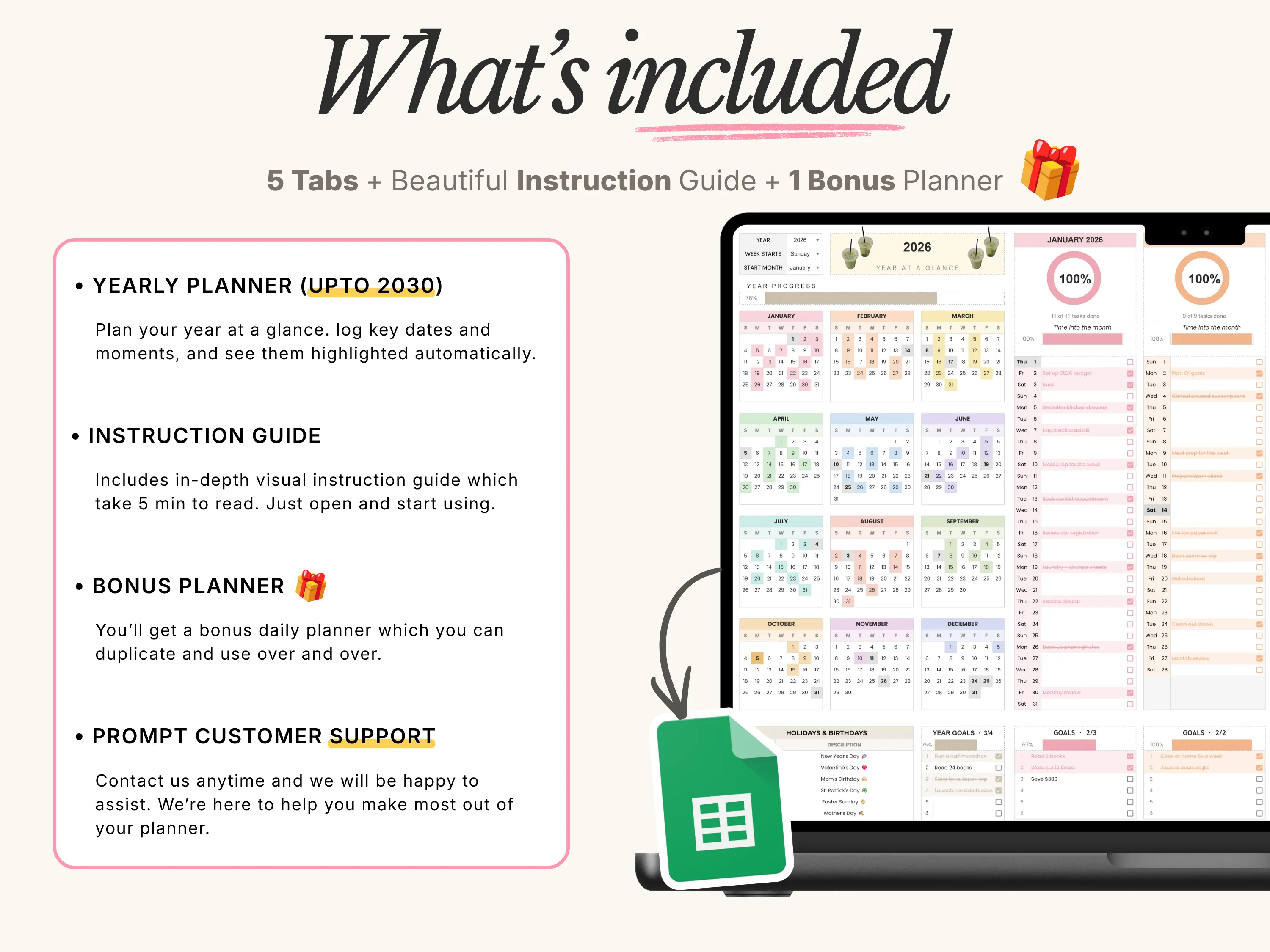
5 Year Tabs (2026-2030)
Five ready-made years. After that, duplicate a tab and keep using it.Year Goals Tracker
Set up to 24 goals for the year and watch the progress bar fill as you tick them off.Holidays & Birthdays List
Add them once and they appear on your calendars automatically.Daily Log Table
A log for every month to record your days.Bonus Daily Planner Tab
An extra tab for planning individual days, which you can duplicate and reuse.Visual Setup Guide
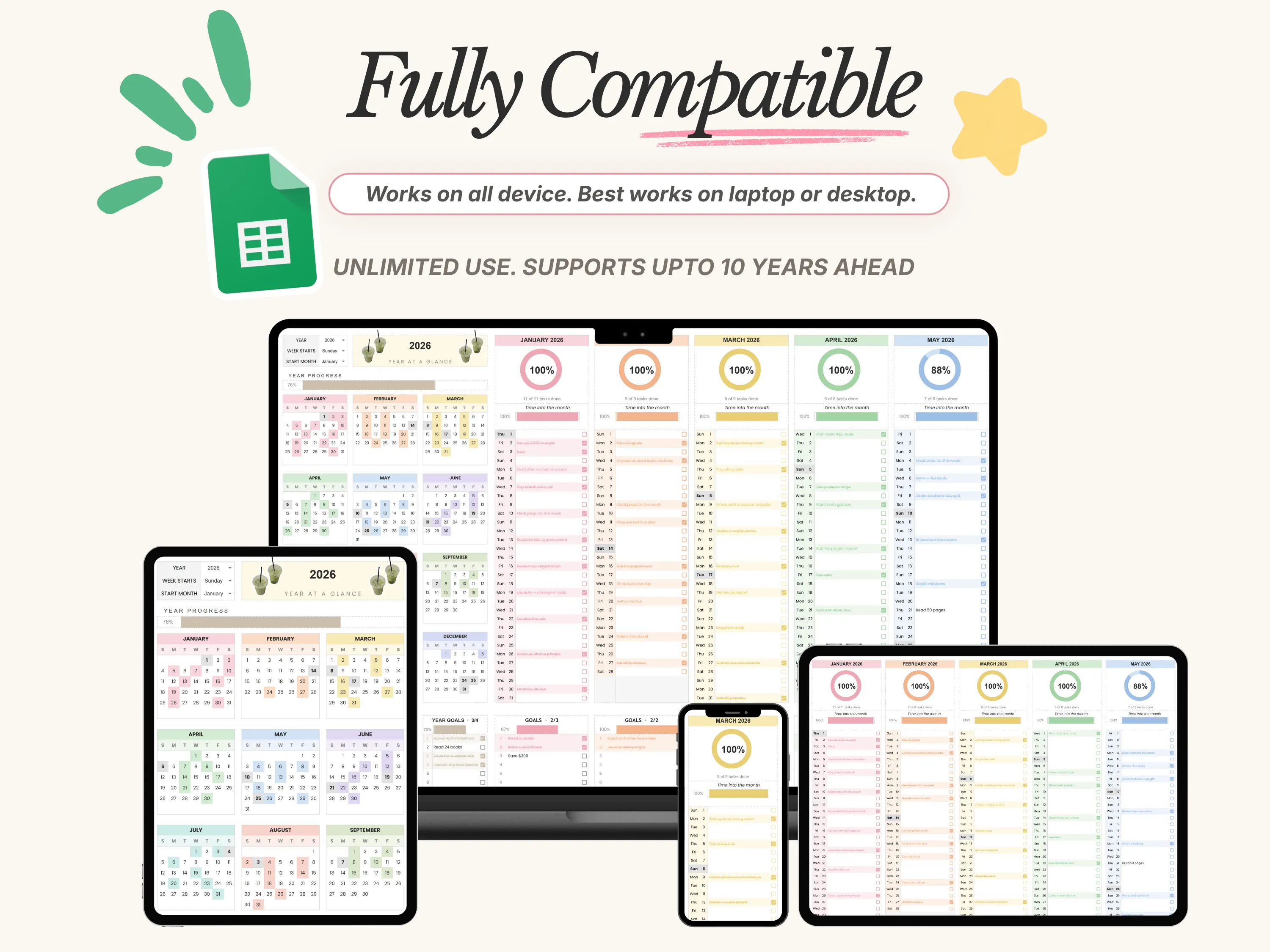
A 5-minute read that gets you set up.Works On Every Device
Opens on desktop, tablet and phone with a free Google account. Setup is easiest on a desktop or laptop.
What's Included
Here’s what you’ll receive.
Everything you need to see your whole year on one screen.
5 Year Tabs (2026-2030)
Five ready-made years. After that, duplicate a tab and keep using it.Year Goals Tracker & Holidays List
A goals tracker for the year, plus a Holidays & Birthdays list that feeds your calendars.Daily Log Table
A log for every month to record your days.Bonus Daily Planner Tab
An extra tab for planning individual days.Visual Setup Guide
A 5-minute read that gets you set up.
Download
Shop Policy